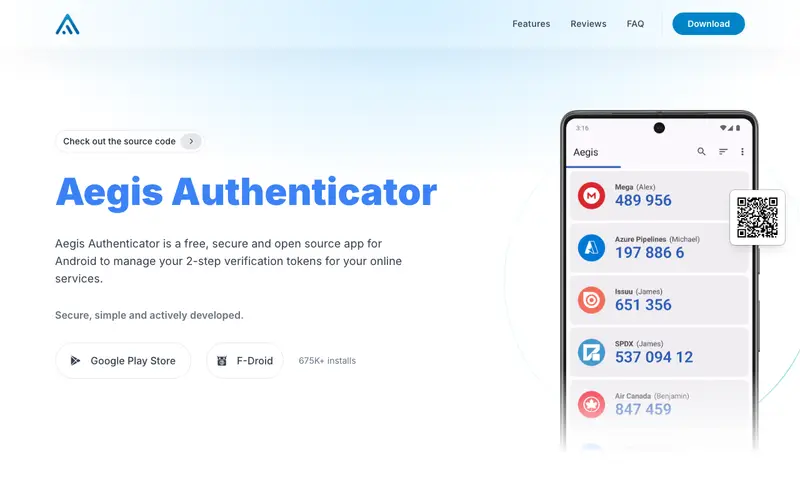
Aegis Authenticator, developed by the community, is a free, open-source two-factor authentication (2FA) app for Android devices, providing a secure way to manage your one-time passcodes (OTP). It stores your 2FA secrets in an encrypted vault, protected by a password or biometric authentication, generating time-based (TOTP) and HMAC-based (HOTP) codes. The primary workflow involves scanning QR codes from websites to add new 2FA entries, then opening the app to retrieve a code when logging into a service. It works exclusively on Android devices, offering a robust and privacy-focused alternative to other authenticator apps. Its most used feature is the ability to export and import encrypted vaults, providing a reliable backup solution for all your 2FA codes. All data is stored locally on your device in an encrypted vault, and the open-source nature ensures transparency and community scrutiny of its security.
Editorial check
How this page is checked
Source trail
getaegis.app
External links are separated from Surfaced commentary.
Reader safety
Context before clicks
Product links and external services are not presented as guarantees.
Monetization
No affiliate flag
Ads and commerce links are kept distinct from editorial text.
Surfaced take
Why It’s Useful
Aegis Authenticator eliminates the security vulnerability of relying solely on passwords, providing a crucial second layer of defense against unauthorized account access. For the privacy-conscious individual, it offers a fully open-source solution, ensuring no proprietary tracking or cloud lock-in for their critical security codes. For the developer managing numerous online services, it provides customizable entry groups and search functionality, making it easy to organize and quickly find specific 2FA codes among dozens. The app is entirely free with no paid tiers, offering full functionality without any limitations, making it genuinely useful for all users. Compared to Google Authenticator or Authy, Aegis wins with its robust local encryption, biometric unlock, and comprehensive backup/restore options, all while being open source. A power feature is its extensive vault customization, allowing users to tag, group, and search entries, along with a configurable auto-lock timer for enhanced security. A non-technical person can set up their first 2FA entry by scanning a QR code in under 1 minute.
In everyday life
When you’d actually reach for this
You'll use Aegis Authenticator whenever you log into an important account, like your bank for a Sunday budget review or your work email before handing off tasks for annual leave. It's also handy when accessing online services for a group trip planning session or finally tackling those saved tabs you swore you'd read.







Enjoyed this? Get five picks like this every morning.
Free daily newsletter — zero spam, unsubscribe anytime.