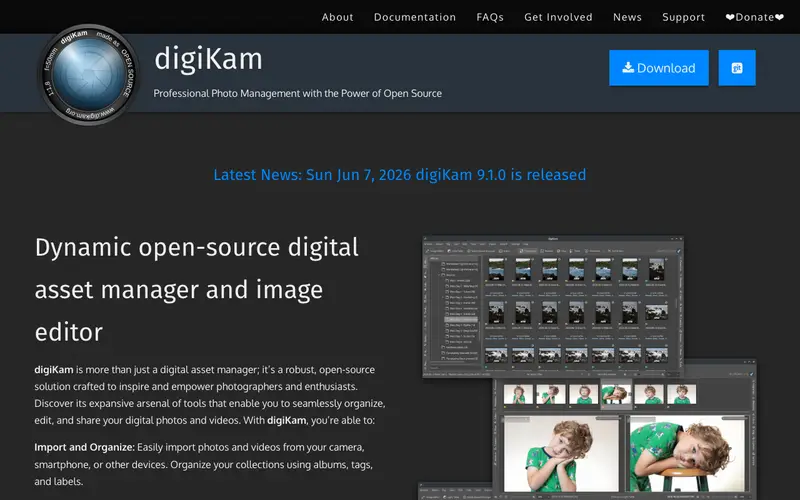
digiKam is a free and open-source professional photo management application developed by the KDE community. It provides a comprehensive set of tools for importing, organizing, editing, and publishing digital photos and raw files. The core feature is its advanced tagging system, face detection, and powerful image editor (LightTable) for non-destructive adjustments. It's primarily built for professional photographers, advanced amateur photographers, and anyone with a large collection of digital images needing robust organization and editing capabilities. Users typically open digiKam to import photos from a camera, categorize their entire photo library, or perform complex edits like color correction and noise reduction. It supports raw formats from hundreds of cameras and runs on Linux, Windows, and macOS.
Editorial check
How this page is checked
Source trail
digikam.org
External links are separated from Surfaced commentary.
Reader safety
Context before clicks
Product links and external services are not presented as guarantees.
Monetization
No affiliate flag
Ads and commerce links are kept distinct from editorial text.
Surfaced take
Why It’s Useful
digiKam offers an exceptional open-source alternative to Adobe Lightroom or Google Photos for serious photo management and editing, providing extensive features without any subscription cost. For the landscape photographer, it's invaluable for organizing thousands of high-resolution images, tagging them by location, subject, and technical data, ensuring every shot is easily retrievable. For the family archivist, it's perfect for scanning old photos, digitizing negatives, and automatically tagging family members across generations, creating a searchable digital archive. digiKam is entirely free and open-source, maintained by the KDE community. A hidden gem feature is its powerful geolocalization tools, allowing users to view photos on a map, add precise GPS coordinates, and even search photos by location, a level of detail often found only in specialized GIS software. Its complexity and steeper learning curve compared to simpler photo viewers contribute to its lower mainstream adoption, but it boasts a dedicated community, a vast array of plugins, and a consistent update cycle.
In everyday life
When you’d actually reach for this
After a weekend camping trip, you'll want to sort through hundreds of photos, tagging the best ones and finding all the shots of your friends. When preparing for a long vacation, you'll use it to quickly organize and back up your entire photo library. You might also reach for it to find that specific picture of your dog you promised to send to your family.







Enjoyed this? Get five picks like this every morning.
Free daily newsletter — zero spam, unsubscribe anytime.