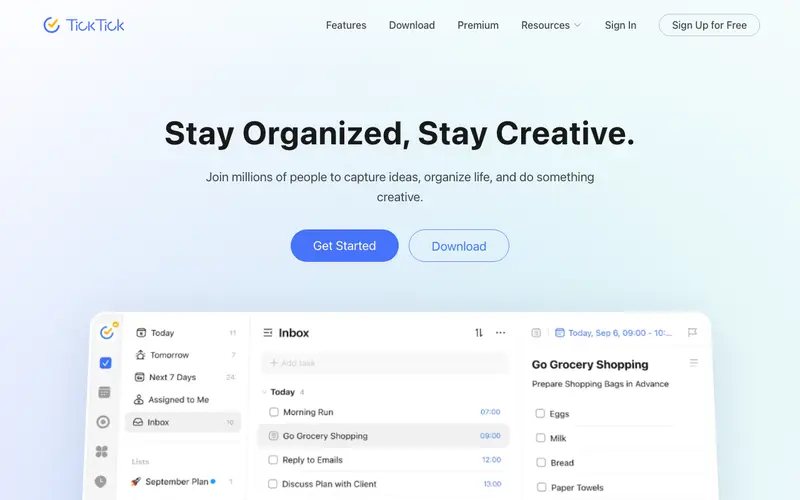
TickTick, developed by Appest, is an all-in-one productivity app designed to help individuals and teams manage tasks, set reminders, build habits, and track goals. It combines a robust to-do list manager with calendar integration and a built-in Pomodoro timer, streamlining multiple aspects of daily planning into a single interface. Users can organize tasks with tags, priorities, and due dates, fostering a comprehensive approach to personal and professional organization. It works seamlessly across web, iOS, Android, Mac, Windows, and as a browser extension. The most used feature is its smart parsing for quickly adding tasks with natural language. Data is securely synced across all devices via cloud, ensuring accessibility from anywhere.
Editorial check
How this page is checked
Source trail
ticktick.com
External links are separated from Surfaced commentary.
Reader safety
Context before clicks
Product links and external services are not presented as guarantees.
Monetization
No affiliate flag
Ads and commerce links are kept distinct from editorial text.
Surfaced take
Why It’s Useful
TickTick eliminates the chaos of juggling multiple apps for tasks, calendars, and focus timers, consolidating them into one coherent system. For the student balancing classes, assignments, and extracurriculars, TickTick’s ability to schedule study blocks with its Pomodoro timer and manage assignment deadlines is invaluable. For a project manager overseeing multiple small teams, it provides a clear overview of tasks, deadlines, and personal focus time, preventing critical items from slipping through the cracks. The free tier is genuinely useful, offering core task management, basic habits, and Pomodoro features, while the premium unlocks advanced calendar views and more habits. Compared to Todoist, TickTick wins by integrating a native Pomodoro timer and habit tracker directly, reducing the need for external apps. Its power feature is the "Eisenhower Matrix" view, which helps advanced users prioritize tasks based on urgency and importance. A non-technical person can set up basic task management in under 5 minutes, though mastering advanced features might take longer.
In everyday life
When you’d actually reach for this
You need to remember to pick up dry cleaning before your friend's wedding. You want to plan out your grocery list for the week and make sure you don't forget anything. You have a few articles saved to read later and want to schedule time to get through them.







Enjoyed this? Get five picks like this every morning.
Free daily newsletter — zero spam, unsubscribe anytime.