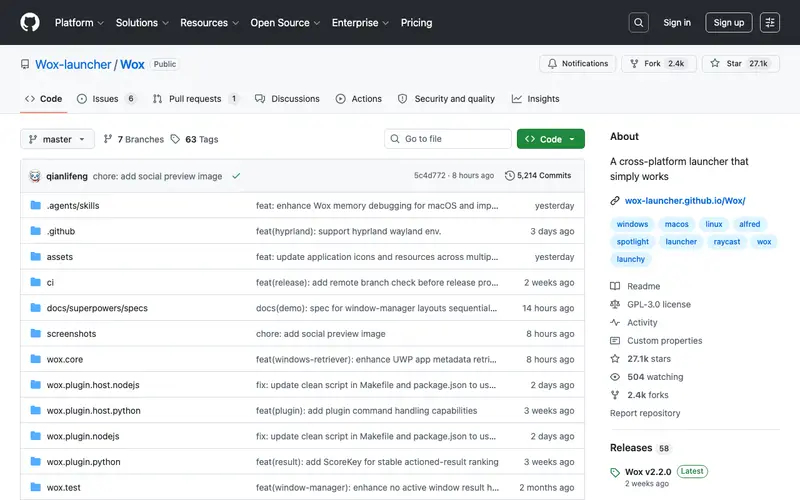
WoX is a free and open-source productivity launcher for Windows, inspired by macOS's Alfred and Spotlight, developed by multiple community contributors. It provides a fast, minimalist interface to launch applications, search files, perform web queries, and execute commands using simple text input. The primary workflow involves pressing a customizable hotkey (e.g., Alt+Space) to bring up the WoX input box, typing a query, and then selecting from the instantly appearing results to launch, open, or search. It is exclusively available on Windows. Its most used feature is its plugin system, which allows users to extend its functionality with custom integrations for various services and tools. WoX stores its configuration and plugin data locally on your machine.
Editorial check
How this page is checked
Source trail
github.com
External links are separated from Surfaced commentary.
Reader safety
Context before clicks
Product links and external services are not presented as guarantees.
Monetization
No affiliate flag
Ads and commerce links are kept distinct from editorial text.
Surfaced take
Why It’s Useful
WoX eliminates the need to navigate through menus or desktop icons, significantly speeding up daily computer interactions and reducing distractions. For the software developer, it enables quick launching of IDEs, opening project folders, or searching documentation online with custom keywords. For the academic researcher, it offers a swift way to open specific PDF papers, launch analysis software, or perform targeted searches across academic databases via custom plugins. WoX is completely free and open-source, offering a robust set of features that are genuinely useful without any paywalls or premium tiers. Compared to Windows' native search or even other launchers, WoX stands out with its highly extensible plugin architecture and vibrant community support, allowing for deep customization. A power feature is its ability to chain commands using a plugin, for example, "convert usd to eur" to get real-time currency conversions, or "github [repo]" to search GitHub directly. The learning curve is low for basic app launching; advanced plugin configuration might require some technical comfort, but a non-technical person can start using it effectively within 5 minutes.
In everyday life
When you’d actually reach for this
You need to quickly open a specific spreadsheet to check your Sunday budget without navigating through folders. When planning a group trip, you want to instantly find and open that shared document detailing everyone's availability. You're about to hand off your work before annual leave and need to rapidly locate all related project files.







Enjoyed this? Get five picks like this every morning.
Free daily newsletter — zero spam, unsubscribe anytime.