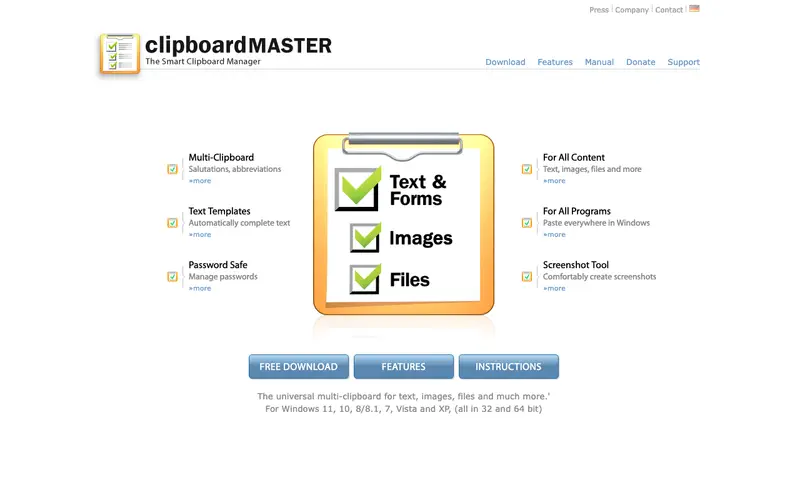
Clipboard Master is a comprehensive clipboard and snippet manager for Windows, developed by Jumping Bytes, designed to go far beyond simple copy-paste functionality by managing text, images, files, and even screenshots. It keeps an extensive history of everything copied and offers advanced features like templates, auto-pasting, and screenshot capture. The primary workflow involves copying items as usual, then accessing Clipboard Master's main window or using hotkeys to browse, search, and paste from your history or pre-defined snippets. It is exclusively available on Windows. Its most used feature is its robust clipboard history, which can store thousands of entries, combined with the ability to define custom "templates" for frequently used text blocks. Clipboard Master stores all data locally on your computer, ensuring privacy and quick access.
Editorial check
How this page is checked
Source trail
clipboardmaster.com
External links are separated from Surfaced commentary.
Reader safety
Context before clicks
Product links and external services are not presented as guarantees.
Monetization
No affiliate flag
Ads and commerce links are kept distinct from editorial text.
Surfaced take
Why It’s Useful
Clipboard Master eliminates the productivity drain caused by repeatedly retyping or re-copying information, consolidating all your snippets and copied items in one accessible place. For the customer service representative, it provides instant access to canned responses, product information, or frequently asked questions, significantly speeding up their interactions. For the programmer, it offers a powerful way to manage code fragments, common syntax, or configuration settings, ready for instant insertion into their IDE. Clipboard Master offers a fully functional free version that is genuinely useful for most users, with a Pro version available for advanced commercial use or additional features. While the built-in Windows clipboard history is basic, Clipboard Master surpasses it with features like template management, secure pasting, and advanced hotkey customization. A power feature is its "Type Text" function, which allows you to paste content as if you were typing it, useful for applications that block standard paste actions. The learning curve is moderate initially due to its many features, but basic clipboard history is easy to use, and a non-technical person can set up and benefit from it in under 10 minutes.
In everyday life
When you’d actually reach for this
You're balancing your Sunday budget and need to quickly paste multiple expense details from different websites. When coordinating a group trip, you save frequently used addresses and booking confirmations to easily share them. You're handing off a project before annual leave and need to quickly paste all the relevant notes and links.







Enjoyed this? Get five picks like this every morning.
Free daily newsletter — zero spam, unsubscribe anytime.