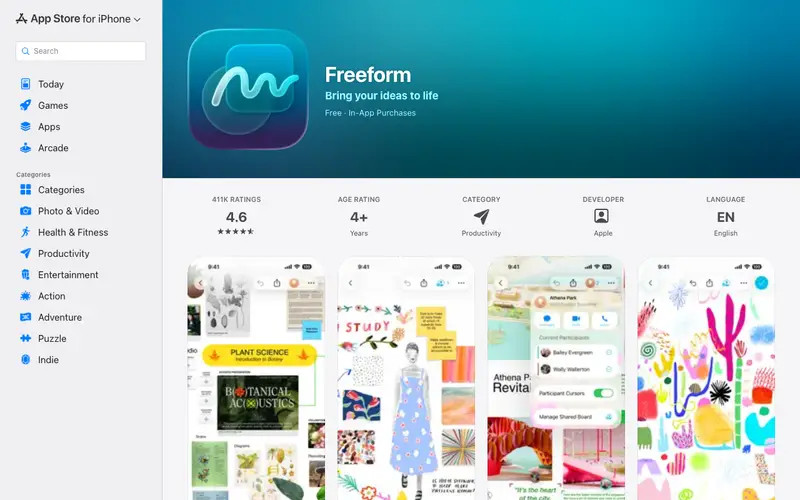
Freeform is a digital whiteboard application developed by Apple, designed to facilitate collaborative brainstorming and creative work. It provides an infinite canvas where users can add text, shapes, sticky notes, photos, videos, links, and documents to visually organize ideas. The primary workflow involves inviting collaborators to a shared board, where everyone can contribute simultaneously in real-time. It's available natively on iOS, iPadOS, and macOS devices. Its most used feature is the ability to easily drag and drop media and files directly onto the board from other Apple apps. All Freeform boards are seamlessly synced across a user's iCloud account and can be shared with others via iMessage or email for real-time collaboration.
Editorial check
How this page is checked
Source trail
apps.apple.com
External links are separated from Surfaced commentary.
Reader safety
Context before clicks
Product links and external services are not presented as guarantees.
Monetization
No affiliate flag
Ads and commerce links are kept distinct from editorial text.
Surfaced take
Why It’s Useful
Freeform eliminates the friction of starting a brainstorm, providing an immediately accessible, infinite canvas on Apple devices. For the product designer sketching out UI flows, it offers a quick way to combine wireframes, mood board images, and notes on a single page. For the marketing team planning a campaign, it serves as a central hub to gather ideas, mockups, and client feedback in one visual space. Freeform is entirely free and pre-installed on Apple devices, offering robust functionality without any paywalls. Unlike more complex diagramming tools, Freeform excels in its simplicity and deep integration with the Apple ecosystem, making quick ideation effortless. A power feature is its capability to directly embed and annotate PDFs or other documents without leaving the board, perfect for reviewing drafts. Its learning curve is virtually non-existent; anyone familiar with an iPhone or Mac can start using it effectively in seconds.
In everyday life
When you’d actually reach for this
You might use Freeform to plan your family's upcoming road trip, jotting down destinations and hotel ideas. It's also handy for brainstorming gift ideas for a group birthday or organizing that pile of browser tabs you intended to read.





Enjoyed this? Get five picks like this every morning.
Free daily newsletter — zero spam, unsubscribe anytime.