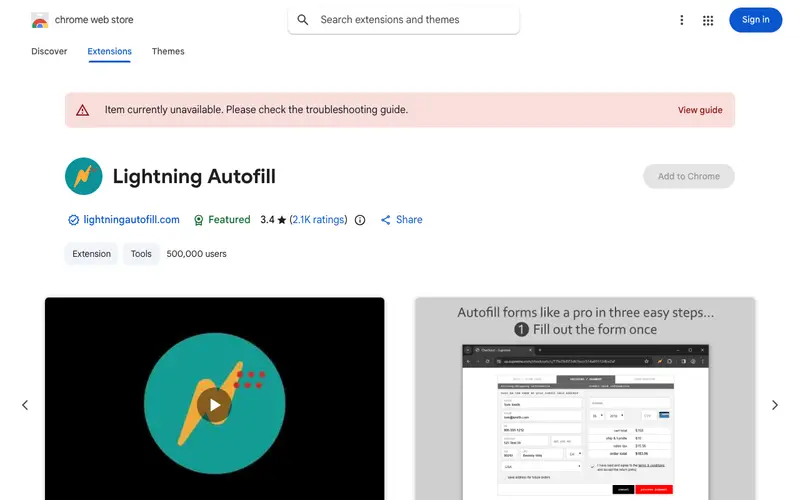
Autofill is a powerful browser extension developed by Yoav N. Its core feature is automatically filling out web forms with predefined text, ensuring accuracy and saving significant time on repetitive data entry. This tool was primarily built for anyone who frequently fills out web forms, from developers testing forms to customer service reps and online shoppers. It integrates into a workflow whenever a user encounters a form, whether it's a contact form, registration page, or checkout process, reducing the need for manual input. The extension is available for Google Chrome and other Chromium-based browsers.
Editorial check
How this page is checked
Source trail
chrome.google.com
External links are separated from Surfaced commentary.
Reader safety
Context before clicks
Product links and external services are not presented as guarantees.
Monetization
No affiliate flag
Ads and commerce links are kept distinct from editorial text.
Surfaced take
Why It’s Useful
Unlike browser's native autofill which only remembers simple credentials, Autofill allows users to define complex rules, regular expressions, and even JavaScript to fill multiple fields with specific, dynamic content. For the web developer, it streamlines testing form submissions with various data sets, vastly speeding up their QA process. For the online shopper, it means completing checkout forms in seconds, especially on sites that don't save payment info. The extension is entirely free to use, offering extensive customization without a premium tier. A powerful, underutilized feature is the ability to chain rules and use "if-then" logic for conditional filling, adapting to different form layouts automatically. Its relative lack of mainstream popularity is due to the advanced nature of its configuration, requiring a bit more setup than a simple password manager, but yielding much greater power. The developer actively maintains the extension, responding to issues and releasing updates, ensuring its compatibility and effectiveness.






Enjoyed this? Get five picks like this every morning.
Free daily newsletter — zero spam, unsubscribe anytime.