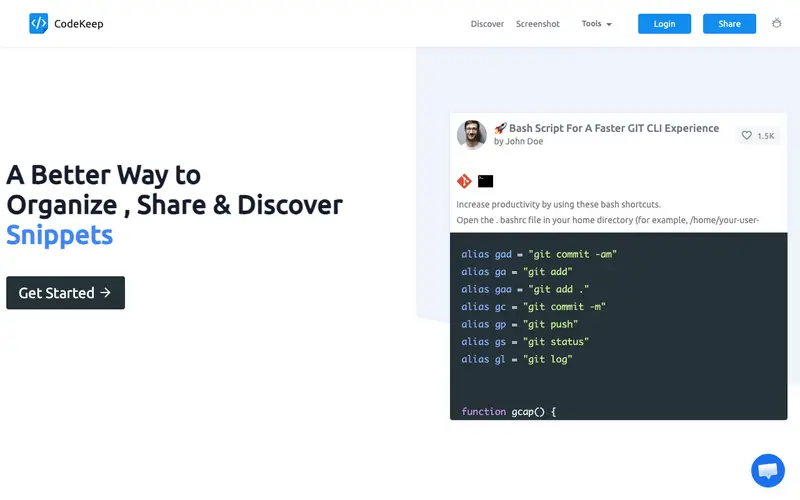
CodeKeep is a cross-platform desktop application created by CodeKeep Inc., designed to be a centralized repository for developers to manage their code snippets effectively. It allows users to store snippets with rich metadata, including language, tags, and custom notes, facilitating robust organization. The primary workflow involves capturing code from your editor, pasting it into CodeKeep, categorizing it, and then easily searching and inserting it back into your development environment. It works on Windows, Mac, and Linux, with cloud synchronization for seamless access across devices. Its most used feature is the quick search and copy functionality, enabling rapid snippet retrieval and insertion. All user data and snippets are securely synchronized to the cloud, ensuring availability and backup.
Editorial check
How this page is checked
Source trail
codekeep.io
External links are separated from Surfaced commentary.
Reader safety
Context before clicks
Product links and external services are not presented as guarantees.
Monetization
No affiliate flag
Ads and commerce links are kept distinct from editorial text.
Surfaced take
Why It’s Useful
CodeKeep solves the frustration of constantly rewriting boilerplate code or searching for specific utility functions across various projects. For the senior software engineer, it serves as a personal knowledge base of tried-and-true solutions, speeding up development and maintaining consistency across their work. For the student learning to code, it's an excellent way to compile and learn from examples, building a practical library of reusable code. The free tier is functional for basic personal use, offering a decent number of snippets, while the paid version unlocks unlimited snippets and advanced features like team sharing. CodeKeep stands out from basic text files or generic note apps by offering dedicated syntax highlighting, smart searching, and cloud sync. A power feature is the ability to create nested folders and smart collections based on tags and languages. A non-technical person could set it up and save their first snippet in under 5 minutes due to its intuitive UI.
In everyday life
When you’d actually reach for this
You're trying to remember that custom SQL query you wrote last month for a client report. You need to quickly find a reusable JavaScript function for a common UI element you've built before. You're onboarding a new team member and need to share a set of important configuration code snippets.







Enjoyed this? Get five picks like this every morning.
Free daily newsletter — zero spam, unsubscribe anytime.