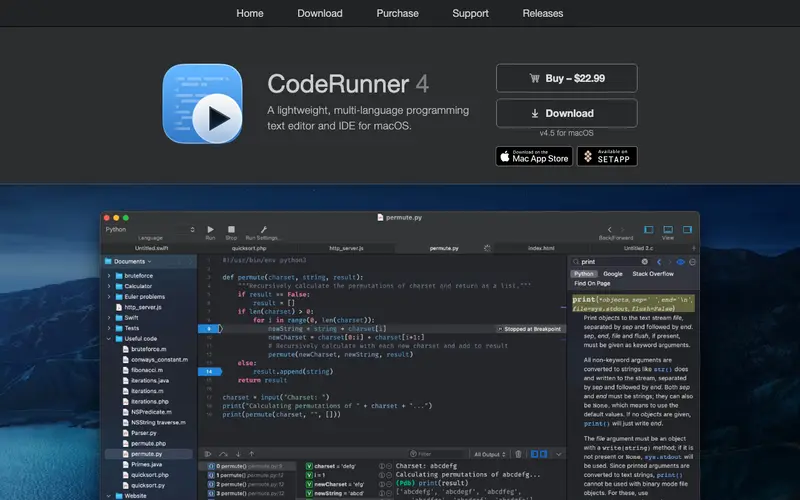
CodeRunner 4, developed by Nikolai Krill, is a powerful and versatile macOS application designed to run code snippets and files in over 25 programming languages directly on your Mac. It features a lightweight IDE-like interface with syntax highlighting, code completion, and a sophisticated debugging system. Developers can write, test, and execute code snippets or entire scripts without needing to set up complex development environments. The application is exclusive to macOS, providing optimized performance and a native user experience. Its most used feature is the instant execution of code in virtually any language, making it ideal for rapid prototyping and testing. CodeRunner 4 stores user projects and snippets locally on the Mac, with options for saving them to any file system location, offering complete control over data.
Editorial check
How this page is checked
Source trail
coderunnerapp.com
External links are separated from Surfaced commentary.
Reader safety
Context before clicks
Product links and external services are not presented as guarantees.
Monetization
No affiliate flag
Ads and commerce links are kept distinct from editorial text.
Surfaced take
Why It’s Useful
CodeRunner 4 eliminates the frustrating setup and context-switching overhead often associated with running small code experiments or learning new languages. For the data scientist quickly testing a Python algorithm or a R script, it provides an immediate execution environment without opening a full IDE or terminal. For the budding programmer exploring different languages, CodeRunner 4 offers a playground where they can instantly write and see the results of their code in Java, C++, JavaScript, Go, and many more. The app is a one-time paid purchase, offering a fully unlocked and genuinely useful experience with all languages and features included from the start. It surpasses online compilers by offering offline functionality, a native macOS experience, and deeper integration with the file system. The "REPL mode" power feature allows for interactive code execution, making it fantastic for live debugging and exploration, similar to a language's native console. A non-technical person might find some advanced features daunting, but running a basic "Hello World" in any language can be done in under 5 minutes.
In everyday life
When you’d actually reach for this
You need to quickly test a quick script before a meeting, or figure out why a piece of code from a saved tab isn't working as expected. It's also useful when you're planning a group trip and want to run a small calculation for potential costs.







Enjoyed this? Get five picks like this every morning.
Free daily newsletter — zero spam, unsubscribe anytime.