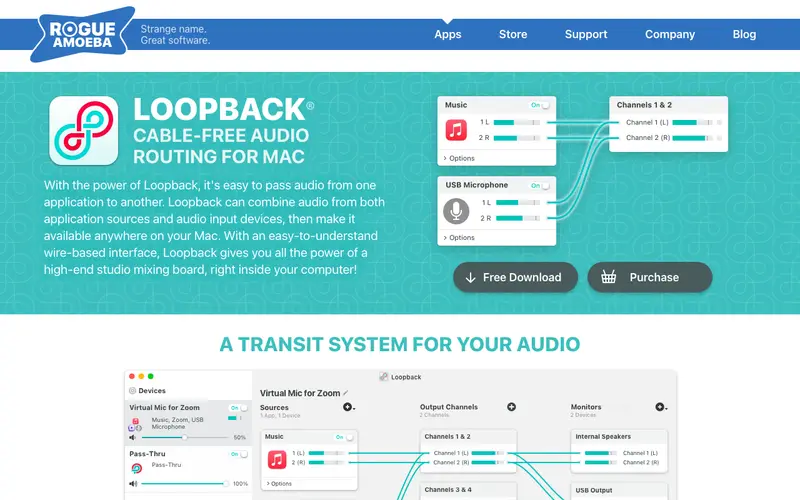
Loopback is a powerful macOS application developed by Rogue Amoeba, a long-standing indie software company known for its audio utilities. Its core feature allows users to create virtual audio devices, routing audio between any applications and hardware inputs on their Mac. This tool is primarily built for podcasters, streamers, musicians, and anyone needing advanced control over their system's audio flow for recording or live broadcasting. A user would typically open Loopback when they need to combine audio from multiple sources (e.g., a microphone, a web browser, and a music player) and send it as a single input to another application like OBS, Zoom, or a DAW. It works exclusively on macOS and integrates seamlessly with virtually any audio-aware application.
Editorial check
How this page is checked
Source trail
rogueamoeba.com
External links are separated from Surfaced commentary.
Reader safety
Context before clicks
Product links and external services are not presented as guarantees.
Monetization
No affiliate flag
Ads and commerce links are kept distinct from editorial text.
Surfaced take
Why It’s Useful
While macOS offers basic audio routing, Loopback provides a vastly more flexible and intuitive virtual patch bay, replacing complex hardware mixers or multiple audio interfaces for many digital tasks. For the podcaster conducting remote interviews, it allows them to easily mix their mic, guest audio from Zoom, and intro music into a single clean track for recording. For the live streamer, it ensures game audio, voice chat, and alerts are perfectly balanced and sent to their streaming software without echo. Loopback offers a fully functional free trial with some audio degradation after 20 minutes, requiring a one-time purchase for unlimited use. A truly powerful, often-underestimated feature is the ability to monitor each virtual device's audio independently, allowing precise level adjustments on the fly. Its Mac-only nature and specialized function keep it a "hidden gem" outside of pro audio circles, but it has a dedicated user base and receives frequent updates and excellent support from Rogue Amoeba.







Enjoyed this? Get five picks like this every morning.
Free daily newsletter — zero spam, unsubscribe anytime.