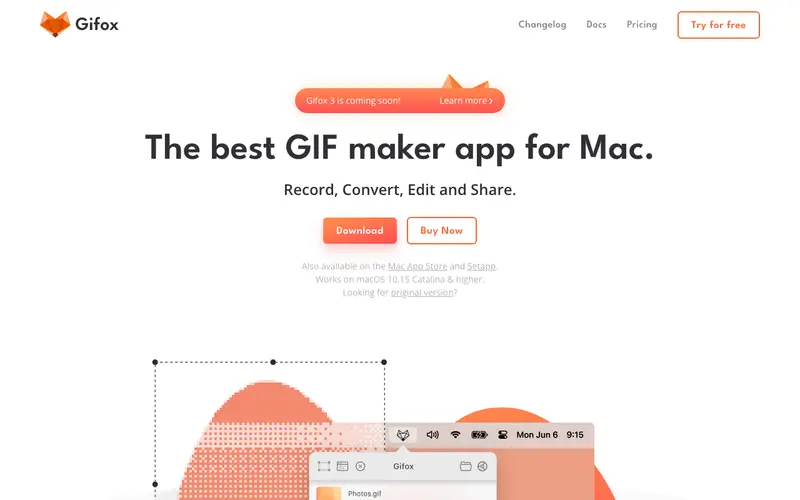
Gifox is a sleek macOS utility developed by Ifox that enables users to record sections of their screen directly into high-quality animated GIFs. Its core function is to simplify the creation of short, looping visual explanations, demos, or reactions for easy sharing. The primary workflow involves selecting a capture area on your screen, hitting record, and then a GIF file is automatically saved or copied to your clipboard. It is exclusively available for macOS. The most used feature is its ability to capture specific application windows or custom screen regions with pixel-perfect precision. Gifox processes all recordings locally on your Mac, ensuring privacy and quick access to your generated GIF files.
Editorial check
How this page is checked
Source trail
gifox.io
External links are separated from Surfaced commentary.
Reader safety
Context before clicks
Product links and external services are not presented as guarantees.
Monetization
No affiliate flag
Ads and commerce links are kept distinct from editorial text.
Surfaced take
Why It’s Useful
Gifox elegantly solves the problem of needing to visually communicate dynamic information without the overhead of video files or cumbersome editing, especially for quick demonstrations. For the software developer illustrating a UI bug or a new feature's animation, it provides a lightweight and universally shareable format for issue tracking or team communication. For the social media manager creating engaging micro-content, it allows for quick production of animated snippets without needing complex video editing software. The free trial is limited but provides a good taste, while the one-time purchase is genuinely valuable for its full feature set, offering unlimited recording and advanced compression. Compared to general screen recorders that can export GIFs, Gifox wins with its dedicated focus on GIF quality, optimization, and intuitive workflow tailored for this format. Its power feature is the advanced compression engine, which creates optimized GIFs that are small in file size yet maintain visual fidelity. A non-technical person can download, install, and create their first GIF in under 2 minutes.
In everyday life
When you’d actually reach for this
You need to quickly show a colleague how to complete a specific step in a software program for a work hand-off. Or, you want to capture a funny reaction from a video to share with friends in a chat. Maybe you're documenting a bug you found on a website to send to support.






Enjoyed this? Get five picks like this every morning.
Free daily newsletter — zero spam, unsubscribe anytime.