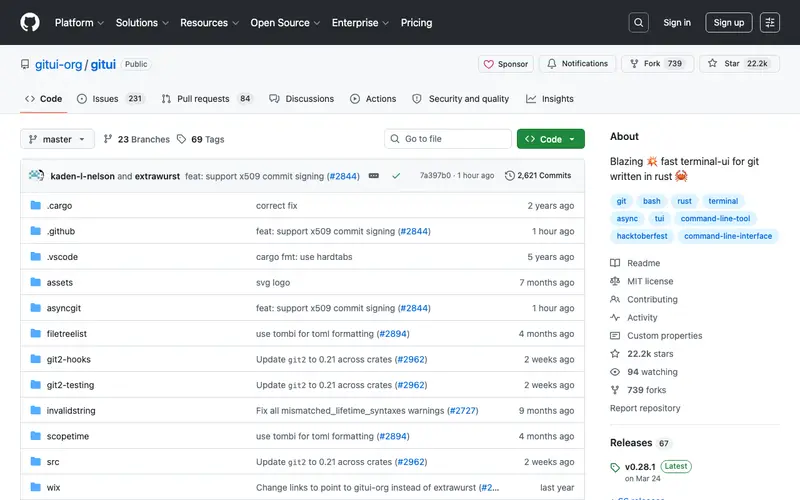
gitui is a fast, lightweight terminal UI for Git written in Rust, developed by Tim Klingele. It provides an intuitive, keyboard-driven interface for common Git operations, allowing users to stage, commit, branch, and rebase without leaving the terminal. The primary user is any developer who prefers to interact with Git in the command line but desires a more visual and interactive experience than raw `git` commands, especially during complex operations. You'd open gitui when you need to quickly review changes, stage specific lines, create a new branch, or perform an interactive rebase with ease. It is cross-platform, running efficiently on Linux, macOS, and Windows.
Editorial check
How this page is checked
Source trail
github.com
External links are separated from Surfaced commentary.
Reader safety
Context before clicks
Product links and external services are not presented as guarantees.
Monetization
No affiliate flag
Ads and commerce links are kept distinct from editorial text.
Surfaced take
Why It’s Useful
gitui offers a significantly more interactive and efficient way to use Git than relying solely on `git status`, `git add -p`, and other CLI commands, without the overhead of a full GUI client. For the developer who makes frequent, granular commits, gitui allows them to visually stage individual lines or hunks of code with a few keystrokes, drastically speeding up their workflow. For a junior developer learning Git, gitui provides a clear visual representation of their repository's state, making concepts like staging, branching, and rebasing much easier to grasp. It is completely free and open-source. A powerful feature often overlooked is its interactive rebase editor, which simplifies complex rebase operations with a visual, easy-to-manipulate list of commits. Its relative newness compared to established GUIs and the preference for raw CLI by some power users keep it a hidden gem. gitui has a growing community on GitHub and benefits from frequent updates.
In everyday life
When you’d actually reach for this
You're about to merge a friend's feature branch into your side project and want to quickly see the changes before committing. Later, you need to untangle a few commits that went onto the wrong branch and want a clear overview to rebase.







Enjoyed this? Get five picks like this every morning.
Free daily newsletter — zero spam, unsubscribe anytime.