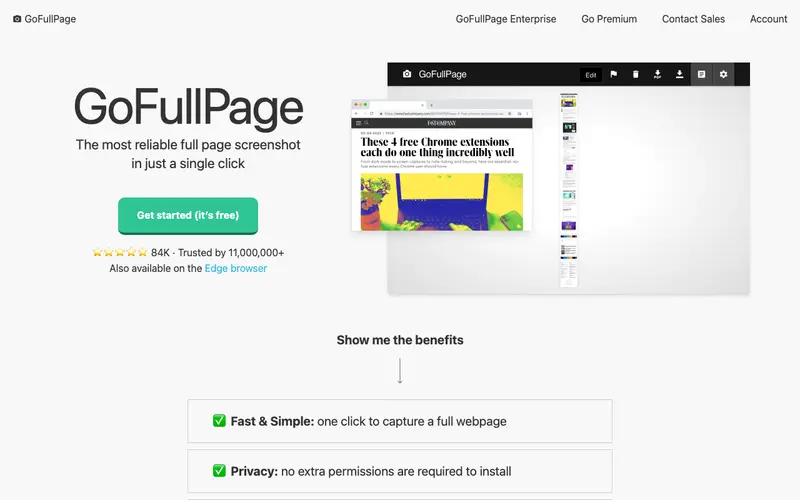
GoFullPage is a free browser extension developed by GoFullPage for capturing entire web pages as a single image. Its core feature allows users to effortlessly take a screenshot of an entire webpage, regardless of its length, by automatically scrolling and stitching the content. This tool was primarily built for designers, developers, and researchers who need to archive or share a complete visual representation of a web page. Users typically trigger it when they need to document web content, provide feedback on page layouts, or save articles for offline viewing without worrying about page breaks. It works exclusively as a browser extension for Chrome, Firefox, and Edge.
Editorial check
How this page is checked
Source trail
gofullpage.com
External links are separated from Surfaced commentary.
Reader safety
Context before clicks
Product links and external services are not presented as guarantees.
Monetization
No affiliate flag
Ads and commerce links are kept distinct from editorial text.
Surfaced take
Why It’s Useful
Unlike standard screen capture tools that only grab the visible viewport, GoFullPage captures every pixel, from top to bottom, making it invaluable for comprehensive documentation over piecemeal screenshots. For the UX designer, it's perfect for archiving competitor analysis pages or presenting full user flows in a single image. For the digital marketer, it allows for easy snapshotting of landing pages for A/B testing records or client reports. The core functionality is completely free, with an optional premium subscription for advanced features like PDF export, annotation tools, and cloud storage integrations. A less obvious but incredibly useful feature is the ability to capture specific elements or scrollable areas, not just the entire page. It's not more popular than built-in browser screenshot tools because many users are unaware of the limitations of those tools until they encounter a specific need for a full-page capture. The extension is well-maintained, receives regular updates, and has a large, supportive user base.





Enjoyed this? Get five picks like this every morning.
Free daily newsletter — zero spam, unsubscribe anytime.