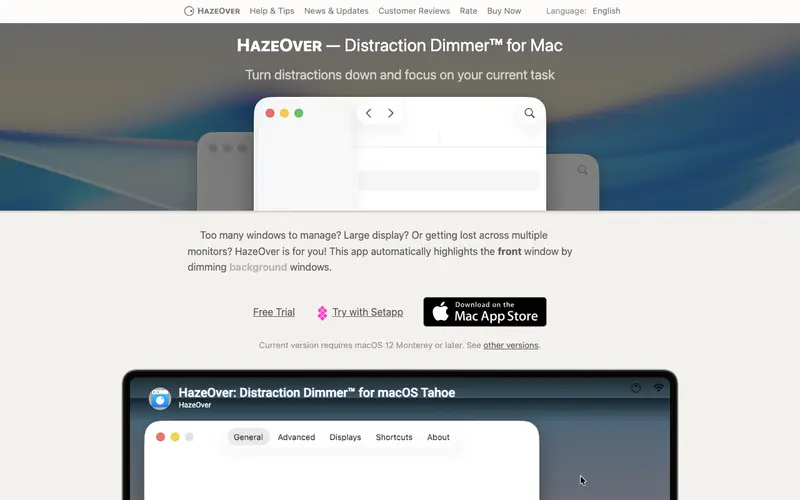
HazeOver, developed by Max Rudberg, is a macOS utility designed to help users focus on their current task by dimming inactive application windows. When activated, it automatically highlights the frontmost window while fading out everything else on the screen, reducing visual clutter and distractions. The tool offers customizable dimming levels and various settings to control its behavior, such as ignoring specific applications. It is exclusively available for macOS. Its most used feature is the automatic dimming of background windows as soon as another application becomes active. HazeOver operates entirely locally on the user's Mac, with no cloud syncing or data collection, ensuring privacy.
Editorial check
How this page is checked
Source trail
hazeover.com
External links are separated from Surfaced commentary.
Reader safety
Context before clicks
Product links and external services are not presented as guarantees.
Monetization
No affiliate flag
Ads and commerce links are kept distinct from editorial text.
Surfaced take
Why It’s Useful
HazeOver eliminates the visual noise and temptation of numerous open windows competing for attention on a busy desktop. For the graphic designer working on intricate details, it ensures that only the active design canvas is brightly lit, preventing peripheral distractions from other apps. For the writer drafting an article, it creates a spotlight effect on their word processor, making it easier to concentrate on the text without being drawn to open browsers or chat apps. HazeOver offers a free trial, with the full version requiring a one-time purchase, making it a valuable long-term investment rather than a recurring subscription. Unlike manually minimizing windows, HazeOver provides a seamless and automatic focus experience that enhances single-tasking without disrupting workflow. The ability to fine-tune dimming levels and exclude specific applications (like media players) is a power feature for tailoring the focus environment. Installation is straightforward, and a non-technical user can have it up and running in less than 2 minutes.







Enjoyed this? Get five picks like this every morning.
Free daily newsletter — zero spam, unsubscribe anytime.