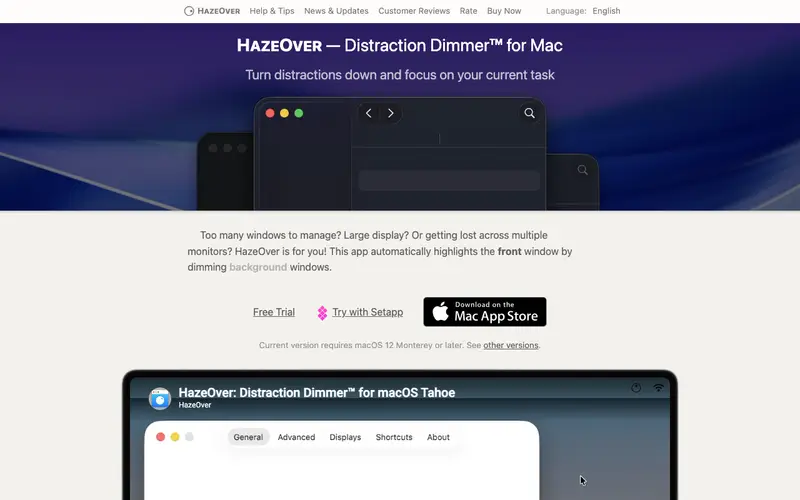
HazeOver is a macOS-exclusive productivity application developed by Max Rudberg that automatically highlights the active window by dimming all background applications. It's designed to minimize visual distractions and help users focus on the task at hand by creating a spotlight effect for their current work. The primary workflow involves installing the app, setting the desired dimming intensity, and then simply working as usual, as HazeOver automatically manages the visual focus. It is available exclusively for macOS, from version 10.11 El Capitan onwards. Its most used feature is the adjustable dimming intensity, allowing users to customize how much background distraction is removed. HazeOver stores its user preferences locally on the Mac, without any cloud synchronization, ensuring privacy and quick performance.
Editorial check
How this page is checked
Source trail
hazeover.com
External links are separated from Surfaced commentary.
Reader safety
Context before clicks
Product links and external services are not presented as guarantees.
Monetization
No affiliate flag
Ads and commerce links are kept distinct from editorial text.
Surfaced take
Why It’s Useful
HazeOver brilliantly eliminates the subtle but persistent problem of visual clutter on your desktop, which can fragment attention and reduce focus. For the graphic designer juggling multiple reference images and design tools, HazeOver ensures that only the active window is brightly illuminated, preventing visual overwhelm and improving concentration on the current layer or canvas. For the content writer researching a topic with numerous browser tabs open, it allows them to focus solely on the active tab or document, making information absorption more efficient. HazeOver is a paid app with a free trial available via Setapp, offering full functionality to test before purchase, which is genuinely useful for evaluation. Compared to manually minimizing or closing windows, HazeOver provides a seamless, automatic focus-enhancing experience without breaking your flow. A power feature is the ability to whitelist specific applications or even multiple windows of the same app from being dimmed, offering granular control for complex workflows. A non-technical person can install and start using HazeOver effectively in under 2 minutes.







Enjoyed this? Get five picks like this every morning.
Free daily newsletter — zero spam, unsubscribe anytime.