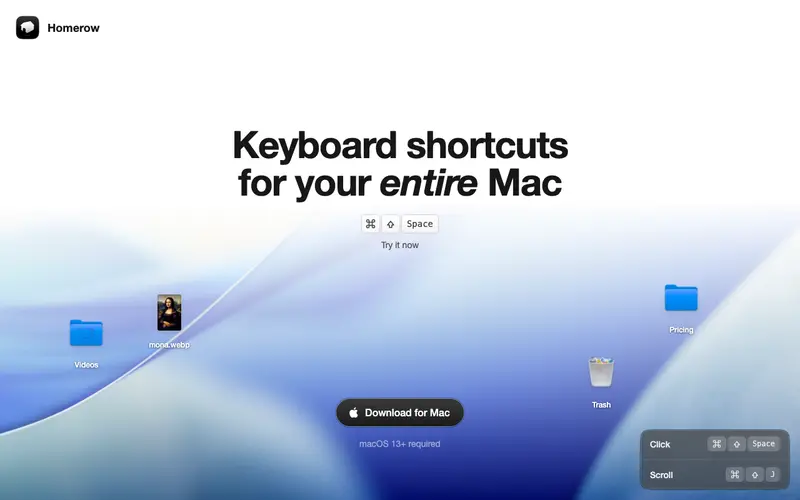
Homerow is a unique macOS utility developed by Jan-Niklas Köhler that brings keyboard-driven navigation to almost every interactive element on your screen, inspired by Vim's navigation principles. It allows you to interact with buttons, links, text fields, and menu items by pressing a hotkey, which then overlays a short, unique text "hint" next to each clickable element. The primary workflow involves activating Homerow with a hotkey (default Cmd+Shift+Space), typing the hint for the desired element, and pressing Enter to activate it, all without touching your mouse or trackpad. It is exclusively available for macOS. Its most used feature is its ability to click any on-screen button or link, even within web browsers or complex applications, purely through keyboard input. Homerow processes all information locally and does not transmit any user data.
Editorial check
How this page is checked
Source trail
homerow.app
External links are separated from Surfaced commentary.
Reader safety
Context before clicks
Product links and external services are not presented as guarantees.
Monetization
No affiliate flag
Ads and commerce links are kept distinct from editorial text.
Surfaced take
Why It’s Useful
Homerow eliminates the repetitive and often slow process of switching between keyboard and mouse, creating a seamless, keyboard-first workflow. For the writer or editor, it enables them to format text, navigate web pages, or interact with application menus without breaking their typing rhythm. For the developer, it provides a precise and efficient way to interact with UI elements in IDEs, debuggers, or browser dev tools, greatly speeding up common actions. Homerow offers a 14-day free trial, which is sufficient to experience its power, after which it requires a one-time purchase. While macOS offers some accessibility features, Homerow provides a much more fluid and intuitive Vim-like experience for general navigation, surpassing built-in options for speed and precision. A power feature is its configurable "modes" which allow for different hint styles or even custom actions based on the active application. The learning curve is moderate initially, as users need to adapt to thinking in "hints," but after a few hours of use, it becomes incredibly fast, and a non-technical person can grasp the basics in under 5 minutes.
In everyday life
When you’d actually reach for this
You're trying to quickly update your budget spreadsheet on a Sunday afternoon, or maybe you're trying to book that group trip and keep missing the right booking button. You can also use it to clear out those article tabs you swore you'd read before your annual leave hand-off.







Enjoyed this? Get five picks like this every morning.
Free daily newsletter — zero spam, unsubscribe anytime.