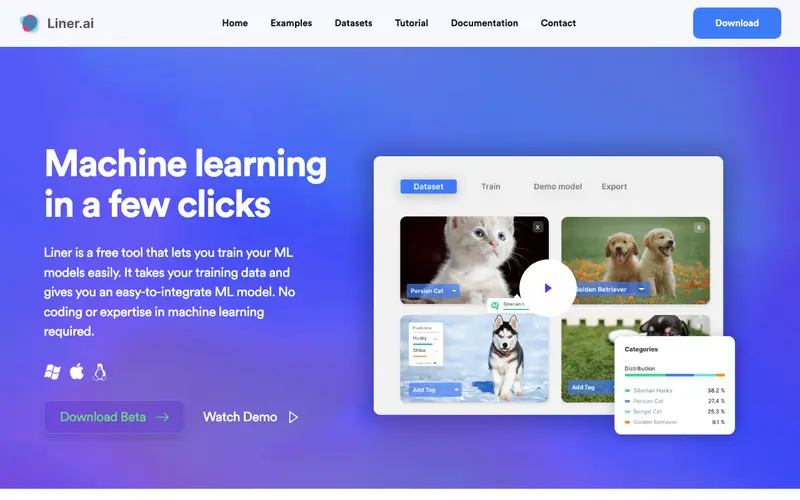
Liner is an AI-powered web highlighter and research assistant developed by Liner Inc., designed to help users quickly capture, organize, and understand key information from articles, PDFs, and YouTube videos. It leverages artificial intelligence to provide summaries, related content, and search enhancements, transforming how users interact with online information. The primary workflow involves installing the browser extension, then highlighting text on any webpage or PDF, which automatically saves it to your Liner dashboard for later review and AI-driven insights. It works on Web, iOS, Android, and as a browser extension (Chrome, Safari, Firefox, Edge). Its most used feature is the AI-powered summarization, which can condense lengthy articles into bullet points, saving significant reading time. All highlights, notes, and summaries are stored in the cloud, providing synchronized access and a personal knowledge base across all devices.
Editorial check
How this page is checked
Source trail
liner.ai
External links are separated from Surfaced commentary.
Reader safety
Context before clicks
Product links and external services are not presented as guarantees.
Monetization
No affiliate flag
Ads and commerce links are kept distinct from editorial text.
Surfaced take
Why It’s Useful
Liner eliminates the overwhelm of dense information and the manual effort required to extract key insights from various sources. For the content marketer researching trends, it allows them to quickly highlight crucial statistics and generate summaries from multiple articles, speeding up content creation. For the student studying complex topics, it helps them identify core concepts in academic papers and even get AI-generated explanations or related search results for deeper understanding. The free tier is genuinely useful, offering basic highlighting, limited AI summaries, and ad-supported usage, with paid plans unlocking unlimited AI features, ad-free experience, and advanced integrations. Compared to standard highlighting tools, Liner wins significantly with its integrated AI capabilities, offering more than just saving text but also understanding and synthesizing information. A power feature is the "Liner AI Copilot" which can answer questions about highlighted content or even draft emails/summaries based on the text, providing an advanced research assistant. A non-technical person can install the extension and start highlighting within 2 minutes.
In everyday life
When you’d actually reach for this
You're planning your weekly budget and need to quickly pull out the key figures from a long financial article. When organizing a group trip, you can easily share important details from several different websites. You can also use it to get the gist of those saved articles you keep meaning to read.







Enjoyed this? Get five picks like this every morning.
Free daily newsletter — zero spam, unsubscribe anytime.