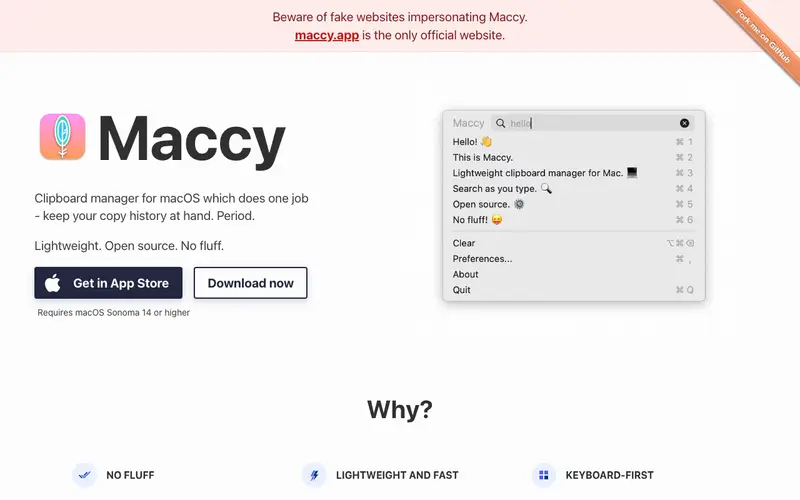
Maccy is a lightweight, open-source clipboard manager for macOS, developed by Alexey Ivashchenko, designed to keep a history of everything you copy. It primarily supports a workflow where users copy text, images, and files, and can later retrieve any item from a searchable history via a simple keyboard shortcut. This utility works exclusively on macOS, integrating seamlessly into the system's menu bar for quick access. Its most used feature is undoubtedly the quick search and paste function, allowing users to find and insert past clippings effortlessly. All clipboard data is stored locally on your machine, ensuring privacy and quick access without cloud reliance.
Editorial check
How this page is checked
Source trail
maccy.app
External links are separated from Surfaced commentary.
Reader safety
Context before clicks
Product links and external services are not presented as guarantees.
Monetization
No affiliate flag
Ads and commerce links are kept distinct from editorial text.
Surfaced take
Why It’s Useful
This tool elegantly eliminates the frustration of repeatedly copying and pasting the same information or losing a crucial piece of text copied moments ago. For the software developer who frequently copies code snippets, variable names, and error messages, Maccy provides instant recall, saving countless clicks and context switches. For the content creator drafting a social media campaign, it means easily accessing brand hashtags, common phrases, and links without retyping or navigating away. The free tier is fully functional, offering the complete feature set without hidden paywalls, making it genuinely useful from the start. Compared to more complex clipboard managers like PasteApp, Maccy wins with its minimalist interface and zero-configuration approach, prioritizing speed and simplicity. A power feature is its ability to ignore specific applications or format copied items, streamlining the clipboard history. A non-technical person can download, install, and begin using Maccy effectively in under 30 seconds.







Enjoyed this? Get five picks like this every morning.
Free daily newsletter — zero spam, unsubscribe anytime.