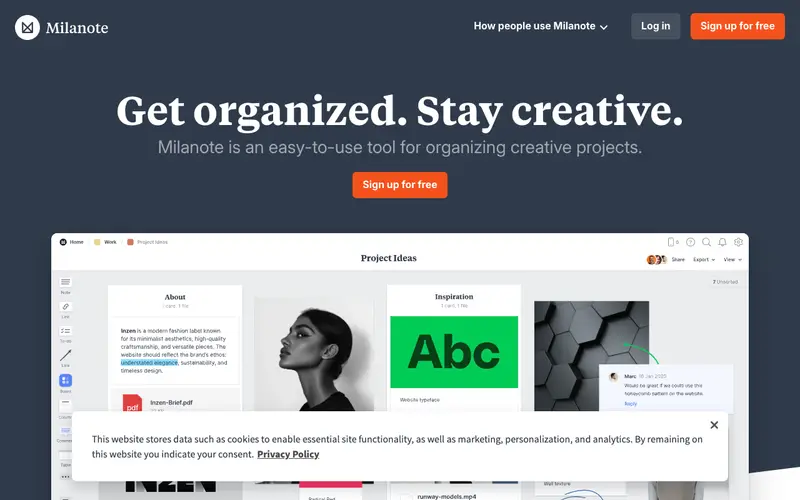
Milanote, developed by Milanote Pty Ltd., is an intuitive visual workspace designed for creative thinkers and teams to collect ideas, notes, files, and feedback in one flexible space. It provides an infinite canvas where users can arrange text, images, links, videos, and documents like sticky notes on a whiteboard, fostering a freeform approach to organization. The primary workflow involves dragging and dropping various content types onto a board, structuring them visually, and sharing with collaborators for feedback or project planning. It is accessible via web browsers, dedicated desktop apps for Mac and Windows, and mobile apps for iOS and Android. Data is securely stored in the cloud, offering real-time synchronization and collaboration features across all devices.
Editorial check
How this page is checked
Source trail
milanote.com
External links are separated from Surfaced commentary.
Reader safety
Context before clicks
Product links and external services are not presented as guarantees.
Monetization
No affiliate flag
Ads and commerce links are kept distinct from editorial text.
Surfaced take
Why It’s Useful
Milanote solves the problem of scattered ideas and fragmented project assets across multiple apps and files, bringing everything into one visual overview. For a graphic designer, it's perfect for creating mood boards, gathering client feedback, and mapping out design iterations for a new brand identity. An interior decorator can use it to collect furniture ideas, color palettes, fabric samples, and client notes, presenting a cohesive vision for a room makeover. Milanote offers a free tier that allows up to 100 cards, 10 files, and 10 collaborators, which is useful for small projects or individual brainstorming before upgrading for unlimited use. It surpasses generic note apps by providing a truly infinite, drag-and-drop canvas optimized for visual content, making spatial organization intuitive where text-based apps struggle. The ability to turn any board into a shareable presentation link for clients or stakeholders is a powerful feature. A non-technical person can sign up and start creating their first board within a couple of minutes, thanks to its intuitive drag-and-drop interface.







Enjoyed this? Get five picks like this every morning.
Free daily newsletter — zero spam, unsubscribe anytime.