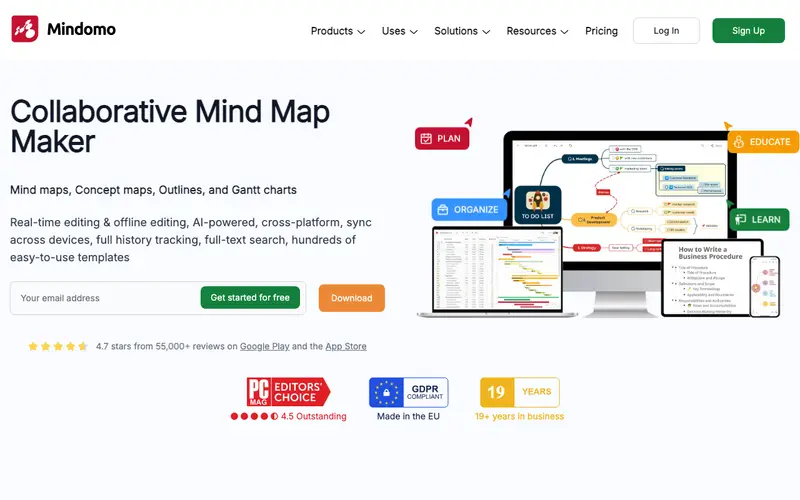
Mindomo is a versatile online mind mapping, concept mapping, and outlining tool developed by Expert Software Applications, designed to help users visualize, organize, and present information effectively. It offers a rich set of features for creating detailed maps, integrating multimedia, and collaborating with others in real-time. The primary workflow involves starting a new map, adding central topics, and expanding with subtopics, incorporating images, videos, and links to create comprehensive visual documents. It is available as a web application, and also has desktop apps for Windows, Mac, Linux, and mobile apps for iOS and Android. Its most used feature is its robust multimedia integration, allowing users to embed videos and audio directly into their mind map topics. Mindomo stores all user data in the cloud, providing secure access from anywhere and enabling real-time collaboration on shared mind maps and presentations.
Editorial check
How this page is checked
Source trail
mindomo.com
External links are separated from Surfaced commentary.
Reader safety
Context before clicks
Product links and external services are not presented as guarantees.
Monetization
No affiliate flag
Ads and commerce links are kept distinct from editorial text.
Surfaced take
Why It’s Useful
Mindomo eliminates the struggle of linear note-taking for complex subjects, enabling users to create rich, interconnected visual representations of information. For the educator, it's an excellent tool for preparing engaging lesson plans, explaining intricate concepts visually, or assigning collaborative mind map projects to students. For the business strategist, it offers a dynamic canvas to outline strategic plans, analyze competitors, or present complex ideas in a clear, compelling visual format. Mindomo offers a free plan with up to 3 maps, which is useful for individual projects or trying out the features, while paid plans unlock unlimited maps, advanced features, and export options. Compared to basic mind mapping tools, Mindomo stands out with its ability to switch between mind map, outline, Gantt chart, and presentation modes, offering versatile ways to interact with content. A power feature is its built-in presentation mode, allowing users to turn their mind maps directly into dynamic, engaging slideshows without needing external software. A non-technical person can easily create an account and start building their first mind map in under 5 minutes, thanks to its intuitive drag-and-drop interface.
In everyday life
When you’d actually reach for this
You might use it to plan out your family's weekly meals and grocery list, or to brainstorm ideas for a friend's birthday surprise party. It's also helpful for mapping out the steps for a personal project, like decluttering your home.





Enjoyed this? Get five picks like this every morning.
Free daily newsletter — zero spam, unsubscribe anytime.