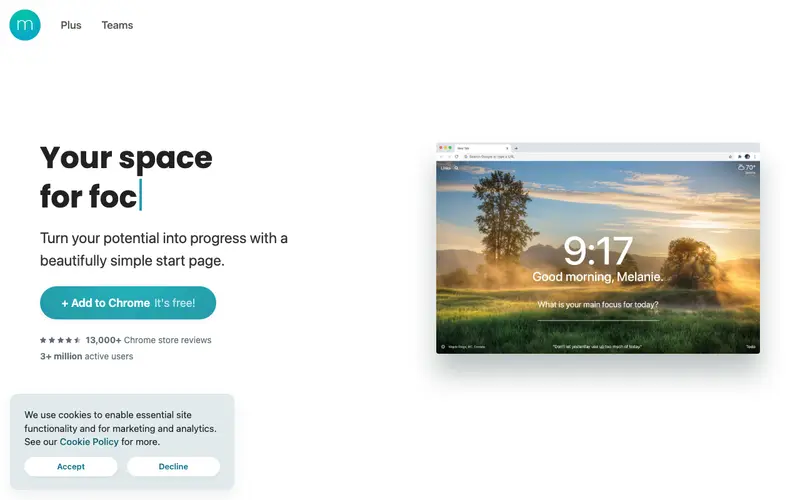
Momentum, developed by Momentum Dash, transforms your browser's new tab page into a personalized dashboard for productivity and focus. It helps users stay on track by presenting a beautiful, inspiring background, a daily focus, and quick access to essential tools. The primary workflow involves opening a new tab, seeing your chosen daily focus (a key habit or task), and then utilizing integrated features like a to-do list, weather, and inspiring quotes. It is available as a browser extension for Chrome, Firefox, Edge, and Safari, making it universally accessible across desktop browsers. Its most used feature is the 'Daily Focus' prompt, which encourages users to commit to one important task or habit at the start of their browsing session. All user data, including to-dos and focus items, is cloud-synced to your Momentum account, allowing for consistent experience across devices.
Editorial check
How this page is checked
Source trail
momentumdash.com
External links are separated from Surfaced commentary.
Reader safety
Context before clicks
Product links and external services are not presented as guarantees.
Monetization
No affiliate flag
Ads and commerce links are kept distinct from editorial text.
Surfaced take
Why It’s Useful
Momentum directly combats the problem of browser tab distraction and lack of daily intention, grounding users with a clear purpose upon opening a new tab. For the remote worker easily sidetracked by online content, Momentum provides a calming yet directive reminder of their most important task or habit each time they open a new tab. For the digital creative looking to start each day with a specific learning goal, setting their 'Daily Focus' to 'Learn CSS Grid' ensures consistent exposure and reinforcement. The free version is genuinely useful, offering the core daily focus, to-do list, and beautiful backgrounds without limitations, making it a powerful free tool. While other new tab extensions exist, Momentum stands out with its elegant design, minimalist approach, and emphasis on a *single* daily focus rather than overwhelming dashboards. A power feature for Pro users is the ability to connect with popular task managers like Todoist or Asana, pulling tasks directly into the dashboard. Setting up Momentum is as simple as installing a browser extension, requiring no technical knowledge to get started.





Enjoyed this? Get five picks like this every morning.
Free daily newsletter — zero spam, unsubscribe anytime.