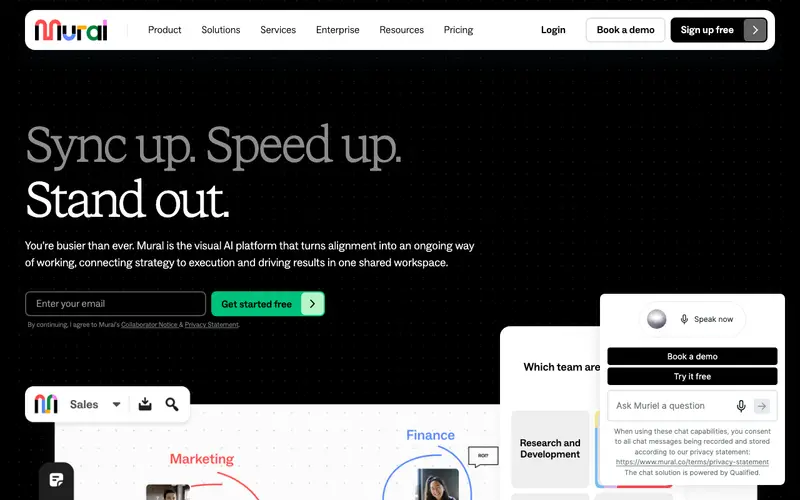
Mural is a digital workspace developed by Mural, Inc. that provides an expansive online whiteboard for visual collaboration, brainstorming, and design thinking workshops for distributed teams. It offers a flexible canvas where users can add sticky notes, text boxes, shapes, images, and embedded files to facilitate creative problem-solving and ideation. The primary workflow involves inviting team members to a 'Mural' (a shared canvas) and using various facilitation tools like timers, voting, and private modes to guide collaborative sessions. It is available on web browsers, iOS, Android, Windows, and Mac applications. Its most used feature is the ability for multiple users to simultaneously interact with the canvas, moving elements and adding content in real-time. Mural securely stores all user data in the cloud, ensuring high availability, compliance with enterprise security standards, and seamless real-time synchronization across all participant devices.
Editorial check
How this page is checked
Source trail
mural.co
External links are separated from Surfaced commentary.
Reader safety
Context before clicks
Product links and external services are not presented as guarantees.
Monetization
No affiliate flag
Ads and commerce links are kept distinct from editorial text.
Surfaced take
Why It’s Useful
Mural eliminates the logistical challenges of remote brainstorming and workshop facilitation by providing an intuitive, feature-rich virtual space. For the UX researcher, it's perfect for conducting remote user story mapping sessions, affinity diagramming, or collaborative synthesis of research findings. For the remote project team, it acts as a dynamic visual hub for sprint planning, retrospective meetings, or designing new product features together. Mural offers a free plan for up to 3 murals and unlimited members, which is genuinely useful for small teams or individual projects, with paid plans unlocking advanced features and unlimited murals. Compared to basic online whiteboards, Mural excels with its extensive library of templates for various methodologies (e.g., Lean Canvas, SWOT), built-in facilitation tools, and robust enterprise-grade security. A power feature is the 'Summon' tool, which allows facilitators to instantly bring all participants to their view on the canvas, ensuring everyone is on the same page. A non-technical person can easily join a Mural and start contributing sticky notes or drawing within 5 minutes, as its core interactions are very straightforward.
In everyday life
When you’d actually reach for this
You might use Mural to map out a family budget for the month or plan a group vacation itinerary. It's also useful for sketching out ideas for a side project or organizing research you've gathered.





Enjoyed this? Get five picks like this every morning.
Free daily newsletter — zero spam, unsubscribe anytime.