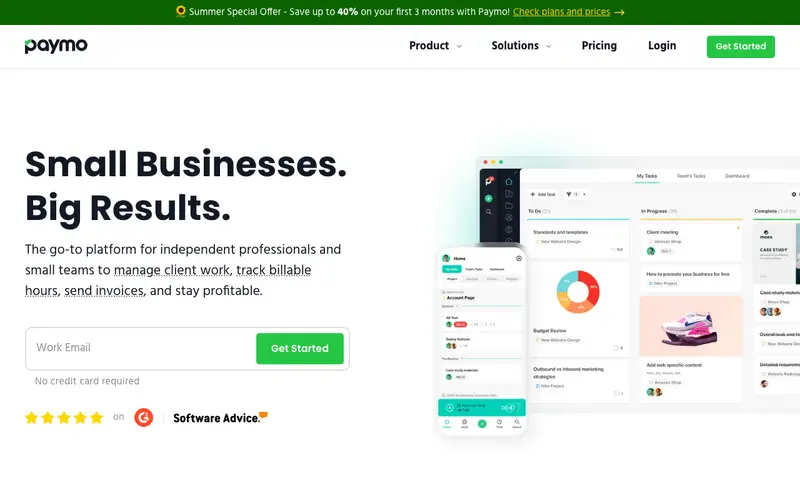
Paymo is an all-in-one work management solution developed by Paymo Ltd. that helps small and medium-sized businesses manage projects, track time, and handle invoicing from a single platform. It streamlines workflows by connecting tasks, team collaboration, and financial aspects, ensuring projects are delivered on time and within budget. This comprehensive tool is available as a web application, desktop app for Windows, macOS, and Linux, and mobile apps for iOS and Android. Its most used feature is the project-centric time tracking, which allows users to log hours against specific tasks and clients effortlessly. All project data, including time entries and invoices, is securely synchronized to the cloud, making it accessible from any device.
Editorial check
How this page is checked
Source trail
paymoapp.com
External links are separated from Surfaced commentary.
Reader safety
Context before clicks
Product links and external services are not presented as guarantees.
Monetization
No affiliate flag
Ads and commerce links are kept distinct from editorial text.
Surfaced take
Why It’s Useful
Paymo eliminates the common pain point of disjointed tools for project management, time tracking, and invoicing, providing a cohesive ecosystem for businesses. For the marketing agency owner, it offers a clear overview of client projects, team workload, and billable hours, ensuring accurate client invoicing and improved profitability. For the freelance designer, it simplifies tracking time spent on different design phases and generating professional invoices directly from tracked hours, freeing up administrative time. The free plan is genuinely useful, offering basic project management, time tracking, and invoicing for a single user, making it excellent for freelancers starting out. Compared to generic project management tools like Asana, Paymo wins by natively integrating time tracking and invoicing, directly linking effort to earnings. A power feature is its ability to convert tracked time into detailed invoices with just a few clicks, automatically calculating costs based on hourly rates. The learning curve is moderate; a non-technical person can set up a project and track time in under 15 minutes, with full feature mastery taking longer.
In everyday life
When you’d actually reach for this
You need to quickly figure out how much time you spent on that client proposal last week to update your invoice. When planning that weekend getaway with friends, you want to track shared expenses and who owes what. You're handing off urgent tasks to a colleague before heading out on vacation.







Enjoyed this? Get five picks like this every morning.
Free daily newsletter — zero spam, unsubscribe anytime.