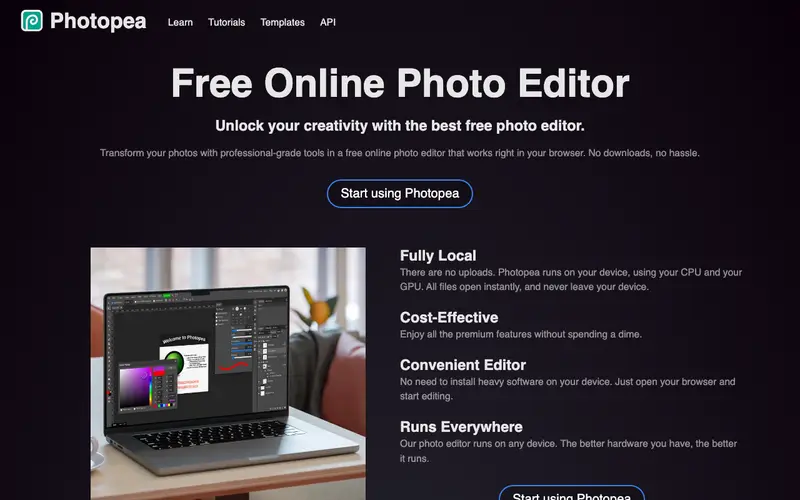
Photopea is a free, advanced online image editor created by Ivan Kuckir, designed to be a powerful alternative to desktop photo editing software like Adobe Photoshop or GIMP. It supports a wide range of file formats including PSD, XCF, Sketch, XD, and CDR, allowing users to open, edit, and save files from various professional design applications. The primary workflow involves opening a file from your computer or starting a new project, then using its comprehensive set of tools for photo manipulation, graphic design, and web design. It is entirely web-based, running directly in your browser on any operating system, including Chromebooks. Its most used feature is its remarkable compatibility with Photoshop's PSD files, including layers, masks, and smart objects. Photopea performs all processing locally in your browser, without uploading files to a server, ensuring privacy and speed.
Editorial check
How this page is checked
Source trail
photopea.com
External links are separated from Surfaced commentary.
Reader safety
Context before clicks
Product links and external services are not presented as guarantees.
Monetization
No affiliate flag
Ads and commerce links are kept distinct from editorial text.
Surfaced take
Why It’s Useful
Photopea eliminates the need for expensive software licenses or powerful hardware to perform professional-grade image editing, making advanced tools accessible to everyone. For the graphic design student who can't afford Photoshop, it provides a full-featured online studio to complete assignments and build a portfolio. For the social media marketer needing to quickly adjust an ad graphic, it offers robust editing capabilities without having to download or install any software. Photopea is completely free to use, supported by unobtrusive ads, making it incredibly useful without any paywall. Compared to desktop-only alternatives, Photopea wins on accessibility and cross-platform compatibility, allowing users to work from any device with an internet connection. A power feature is its support for smart objects and non-destructive editing, mirroring advanced features found in professional desktop software. While feature-rich, a non-technical person can perform basic edits like cropping or resizing in under 5 minutes.





Enjoyed this? Get five picks like this every morning.
Free daily newsletter — zero spam, unsubscribe anytime.