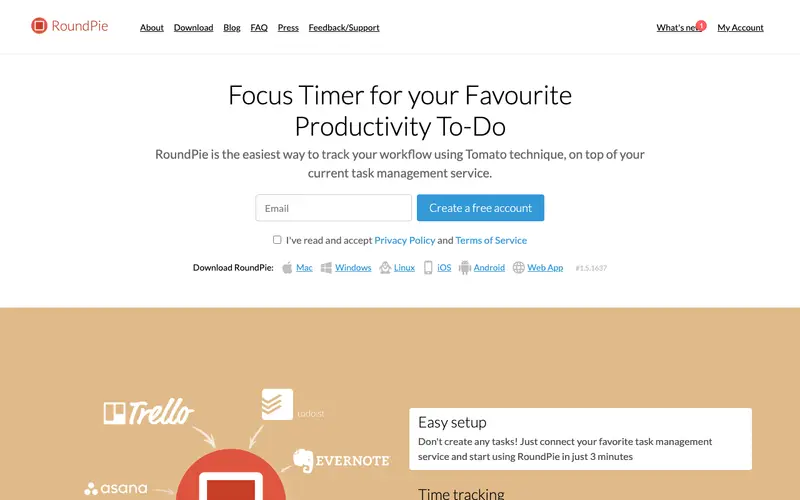
PomoDone App is a cross-platform Pomodoro timer developed by PomoDone App Limited, designed to integrate with existing task management services to help users focus on their work. It provides a simple timer based on the Pomodoro Technique, allowing users to track their focused work sessions against tasks pulled from their preferred tools. The app is available on Windows, macOS, Linux, iOS, Android, and as a browser extension for Chrome and Firefox. Its most used feature is the seamless integration with popular task managers like Todoist, Trello, Asana, and Jira, linking focus sessions directly to tasks. PomoDone App syncs user data and integrations securely in the cloud, providing a consistent experience across all devices.
Editorial check
How this page is checked
Source trail
pomodoneapp.com
External links are separated from Surfaced commentary.
Reader safety
Context before clicks
Product links and external services are not presented as guarantees.
Monetization
No affiliate flag
Ads and commerce links are kept distinct from editorial text.
Surfaced take
Why It’s Useful
PomoDone App solves the problem of disjointed workflows between time tracking and task management, ensuring that focus efforts directly contribute to project progress. For the project manager, it allows them to pull tasks from Trello directly into their Pomodoro timer, ensuring focused work on high-priority items and accurate time logging. For the student organizing group projects in Asana, PomoDone helps them dedicate specific, tracked Pomodoro sessions to individual assignments, improving accountability. The free tier offers core Pomodoro functionality and limited integrations, which is genuinely useful for individual users, while premium unlocks unlimited integrations and advanced reporting. Unlike standalone Pomodoro timers, PomoDone App's strength lies in its deep, two-way integration with over 40 task management services, making it a central hub for focused work. A power feature is the ability to export detailed focus reports, offering insights into how time is spent across different projects and tasks. A non-technical person can easily connect their primary task manager and start a Pomodoro session in under 5 minutes.
In everyday life
When you’d actually reach for this
You need to buckle down and finally tackle that mountain of browser tabs you've been meaning to read. Planning out your finances for the upcoming month feels overwhelming, so you break it down into manageable focus blocks. You want to get a significant chunk of your personal project done before the weekend starts.







Enjoyed this? Get five picks like this every morning.
Free daily newsletter — zero spam, unsubscribe anytime.