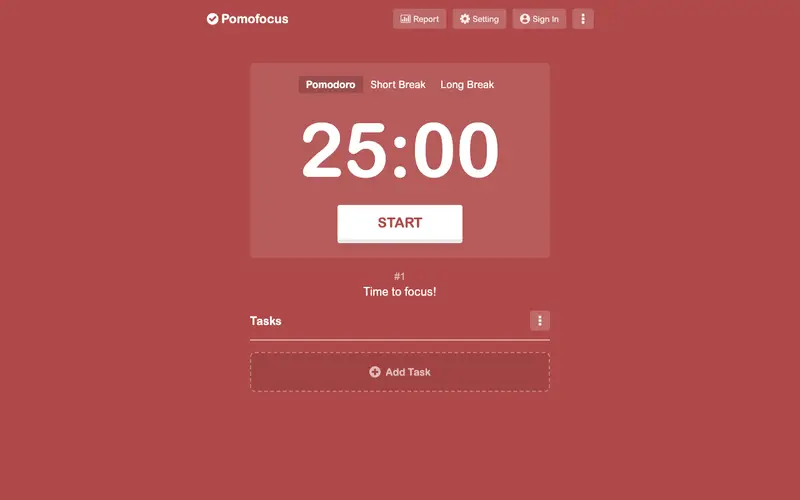
Pomofocus, an open-source web application created by get.pomofocus.io, is a minimalist and highly accessible Pomodoro timer designed for focused work. It provides a clean interface to set Pomodoro, short break, and long break timers, guiding users through structured work intervals. It is primarily a web-based tool, accessible from any browser on any operating system, requiring no installation. Its most used feature is the straightforward one-click start for a Pomodoro timer, instantly initiating a focused work session. The application does not store any personal data or session history in the cloud; it's a local-first experience, making it highly privacy-focused.
Editorial check
How this page is checked
Source trail
pomofocus.io
External links are separated from Surfaced commentary.
Reader safety
Context before clicks
Product links and external services are not presented as guarantees.
Monetization
No affiliate flag
Ads and commerce links are kept distinct from editorial text.
Surfaced take
Why It’s Useful
Pomofocus eliminates the common problem of over-complicating productivity tools, offering a pure, distraction-free Pomodoro experience. For a student needing to quickly start a study session without fuss, Pomofocus provides an instant, no-login-required timer that helps them dive straight into work. A busy freelancer juggling quick tasks can use Pomofocus to time-box each item efficiently, ensuring short breaks to maintain mental freshness between bursts of activity. Pomofocus is entirely free to use, making it a genuinely useful tool with no hidden costs or paywalls for its core functionality. Compared to feature-rich Pomodoro apps like Forest or Session, Pomofocus wins by offering unparalleled simplicity and zero friction, making it the perfect tool for those who just need a reliable timer. Its ability to integrate with task management tools via browser extensions (though not built-in) is a subtle power feature for advanced users who want minimal distractions from their timer. A non-technical person can navigate to the website and start their first Pomodoro session in less than 10 seconds, thanks to its intuitive design.







Enjoyed this? Get five picks like this every morning.
Free daily newsletter — zero spam, unsubscribe anytime.