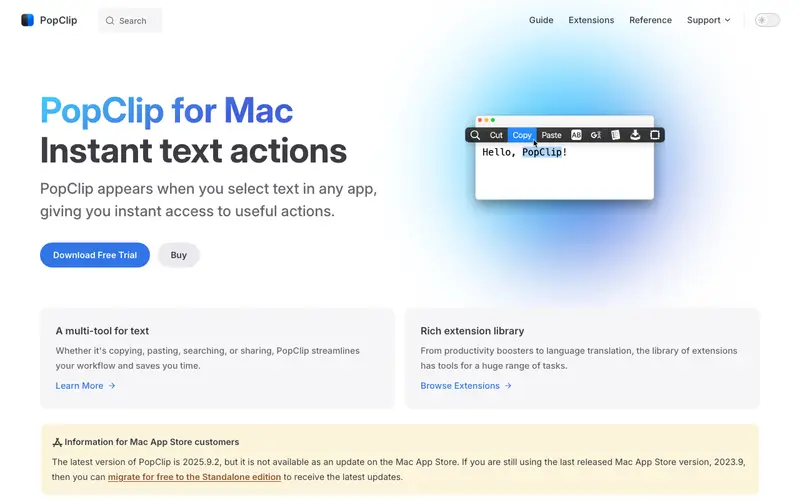
PopClip is a clever utility for macOS, developed by Pilotmoon Software, designed to provide instant actions for selected text, mimicking the pop-up options on iOS. It supports a workflow where users select any text on their screen, and a small pop-up bar appears with context-sensitive actions like copy, paste, search, translate, or even custom scripts. This highly adaptable tool functions exclusively on macOS, integrating seamlessly across almost all applications where text can be selected. Its most compelling feature is its extensibility through dozens of free extensions, allowing users to tailor actions precisely to their needs. PopClip handles data locally, processing selected text on your machine and never transmitting it externally unless an extension explicitly uses a web service.
Editorial check
How this page is checked
Source trail
pilotmoon.com
External links are separated from Surfaced commentary.
Reader safety
Context before clicks
Product links and external services are not presented as guarantees.
Monetization
No affiliate flag
Ads and commerce links are kept distinct from editorial text.
Surfaced take
Why It’s Useful
PopClip dramatically reduces friction and context switching when working with text, eliminating the need to right-click, navigate menus, or switch applications for common text operations. For the researcher compiling information, PopClip allows for instant searching of selected terms on Google Scholar, translating foreign phrases, or adding snippets to a note-taking app with a single click. For the social media manager drafting posts, it means quickly checking word counts, converting text to uppercase/lowercase, or shortening URLs directly from the selected text. PopClip offers a paid one-time purchase, but a free trial is available, and its unique value proposition makes the investment worthwhile for heavy text users. While macOS services offer some similar functionality, PopClip wins with its instant, always-available pop-up and its vast, user-contributed extension library, making it far more versatile. A power feature is the ability to create custom extensions using shell scripts, opening up limitless possibilities for automating text-based tasks. A non-technical person can install PopClip and start using its basic copy/paste/search functions instantly, with extensions being easy to add.






Enjoyed this? Get five picks like this every morning.
Free daily newsletter — zero spam, unsubscribe anytime.