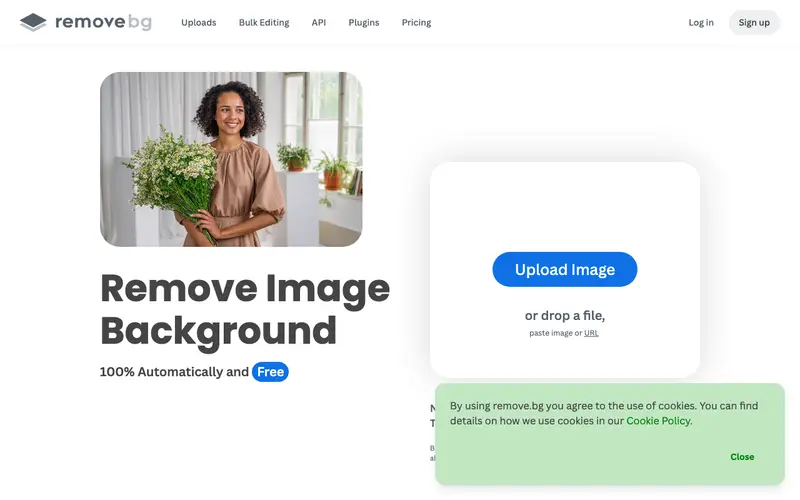
remove.bg, developed by Kaleido AI (now part of Canva), is an innovative online tool that automatically removes the background from any image in just a few seconds using advanced AI. Its core function is to simplify photo editing by providing a precise, hassle-free solution for isolating subjects from their surroundings. Users primarily upload an image or paste a URL, and the AI processes it almost instantly, delivering a transparent background version ready for download. It is a web-based application, fully accessible via any browser, and also offers desktop apps for Windows, Mac, and Linux, along with integrations for Photoshop and Figma. Its most used feature is the single-click, fully automated background removal, eliminating manual selection and masking. remove.bg processes images in the cloud, and users can download the resulting transparent PNG files for local use; accounts allow for tracking credit usage and processing history.
Editorial check
How this page is checked
Source trail
remove.bg
External links are separated from Surfaced commentary.
Reader safety
Context before clicks
Product links and external services are not presented as guarantees.
Monetization
No affiliate flag
Ads and commerce links are kept distinct from editorial text.
Surfaced take
Why It’s Useful
This tool eliminates the tedious and often skill-intensive process of manually cutting out subjects from image backgrounds in photo editing software. For the e-commerce business owner needing product photos with clean white backgrounds, remove.bg provides a fast, consistent solution, saving hours of post-processing time. For the social media manager creating engaging posts, it allows them to quickly composite subjects onto various creative backgrounds without needing advanced Photoshop skills. The free tier is genuinely useful, offering one free high-resolution credit and unlimited low-resolution downloads, with paid plans providing more high-resolution credits for commercial use. Compared to manual background removal in Photoshop or GIMP, remove.bg is incomparably faster and often more precise for common subjects, requiring no technical skill. A power feature is the API, which allows advanced users and developers to integrate automatic background removal into their own applications or workflows for batch processing. A non-technical person can upload an image and download a transparent version in under 30 seconds, making it incredibly accessible.






Enjoyed this? Get five picks like this every morning.
Free daily newsletter — zero spam, unsubscribe anytime.