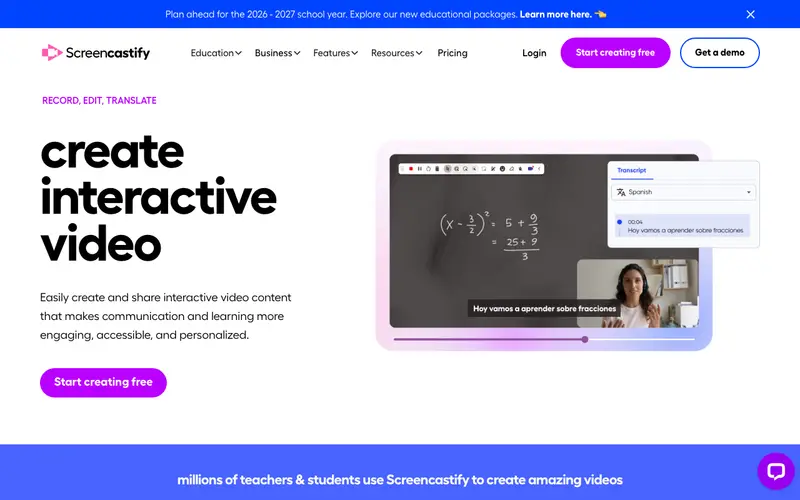
Screencastify, developed by Screencastify, LLC, is a popular Chrome browser extension that enables users to record their screen, webcam, or a combination of both directly from their browser. It is designed for simplicity, allowing anyone to create high-quality video content for education, communication, or demonstrations without complex software. The primary workflow involves clicking the extension icon, choosing recording options (tab, desktop, webcam), recording, and then having the video automatically saved to Google Drive, with options for basic editing. It functions exclusively as a Google Chrome browser extension, making it highly accessible to Chromebook users and anyone in the Chrome ecosystem. Its most used feature is its seamless integration with Google Drive, allowing instant saving and sharing of recordings. All recordings are automatically uploaded to your Google Drive account by default, providing easy cloud storage and sharing functionalities.
Editorial check
How this page is checked
Source trail
screencastify.com
External links are separated from Surfaced commentary.
Reader safety
Context before clicks
Product links and external services are not presented as guarantees.
Monetization
No affiliate flag
Ads and commerce links are kept distinct from editorial text.
Surfaced take
Why It’s Useful
Screencastify eliminates the hurdle of installing desktop software for simple screen recordings, making video creation accessible directly within the browser. For the remote teacher, it's perfect for quickly recording short lesson explanations or feedback videos for students, directly sharing them via Google Classroom. For the online course creator, it enables effortless creation of module introductions or software demonstration videos without leaving their web browser environment. Screencastify offers a genuinely useful free tier, allowing up to 5-minute recordings for an unlimited number of videos, which is sufficient for many quick tasks. It outperforms many built-in browser capture tools with its direct Google Drive integration and simple editing features like trimming and merging clips. A power feature is its ability to annotate during recordings with a pen tool, spotlight, and click animations, enhancing clarity in tutorials. The learning curve is very low; anyone familiar with Chrome extensions can start recording a video in under a minute without needing technical expertise.







Enjoyed this? Get five picks like this every morning.
Free daily newsletter — zero spam, unsubscribe anytime.