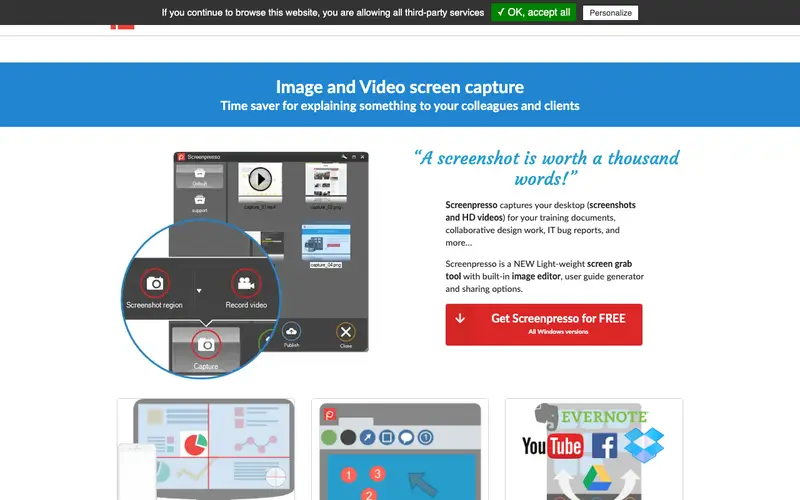
Screenpresso is a comprehensive screen capture, image editor, and sharing tool for Windows, developed by Learning Essentials. It enables users to capture screenshots, record videos of their screen, annotate images, and share them efficiently through various cloud services. The primary workflow involves pressing a hotkey to capture, using the built-in editor to add text, arrows, or blur sensitive info, and then dragging the result to a sharing destination or saving it locally. It is exclusively available for Windows. The most used feature is its powerful built-in image editor, which allows for professional-grade annotations immediately after capture. Screenpresso handles data locally by default, but also integrates with popular cloud storage services like Google Drive, Dropbox, and OneDrive for easy sharing.
Editorial check
How this page is checked
Source trail
screenpresso.com
External links are separated from Surfaced commentary.
Reader safety
Context before clicks
Product links and external services are not presented as guarantees.
Monetization
No affiliate flag
Ads and commerce links are kept distinct from editorial text.
Surfaced take
Why It’s Useful
Screenpresso eliminates the need for multiple tools by combining screen capture, advanced image editing, and sharing into one seamless Windows application. For the technical writer creating user manuals, it simplifies the process of capturing, annotating, and numbering screenshots for documentation. For the project manager explaining complex software workflows, it allows for clear, step-by-step visual guides with highlights and callouts. The free version is genuinely useful, offering unlimited captures and basic editing, while the Pro version unlocks features like advanced video editing, watermarking, and more sharing options. Compared to basic tools like the Windows Snipping Tool, Screenpresso wins with its robust editor, video recording capabilities, and extensive sharing integrations. Its power feature is the 'Workspace' where all captures are stored, organized, and easily accessible for reuse or further editing. A non-technical person can install and begin capturing within 5 minutes, mastering the editor takes a bit longer.
In everyday life
When you’d actually reach for this
You need to show your partner exactly how to fix that setting on the shared streaming account. When planning a group trip, you want to visually explain the available hotel options to everyone. You're leaving for vacation and need to quickly show your colleague how to access a specific file path.






Enjoyed this? Get five picks like this every morning.
Free daily newsletter — zero spam, unsubscribe anytime.