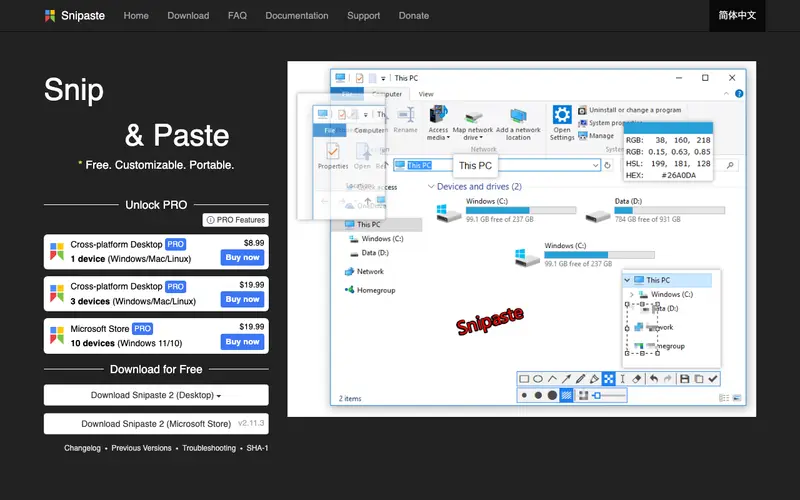
Snipaste is a simple yet powerful screenshot tool for your desktop, developed by Snipaste Team, with a unique "pin to screen" feature that transforms screenshots into floating windows. While primarily a screenshot utility, this pinning capability makes it surprisingly effective for managing visual code snippets or quick textual references. The primary workflow involves taking a screenshot of any part of your screen, which then appears as an image you can annotate, zoom, or pin to stay on top of other windows. It is available for Windows and macOS. Its most used feature is the "paste as image" functionality, which pins captured content directly onto the desktop. Screenshots and pinned images are managed locally, allowing for quick retrieval and organization.
Editorial check
How this page is checked
Source trail
snipaste.com
External links are separated from Surfaced commentary.
Reader safety
Context before clicks
Product links and external services are not presented as guarantees.
Monetization
No affiliate flag
Ads and commerce links are kept distinct from editorial text.
Surfaced take
Why It’s Useful
Snipaste eliminates the need to constantly switch between windows or alt-tab to reference a piece of code, design element, or instruction while working. For the developer debugging an issue, it provides an unparalleled way to keep error messages, API documentation examples, or relevant code sections visible without disrupting their main workflow. For the graphic designer, it's perfect for pinning color palettes, font examples, or mood board elements directly onto their canvas. The free version is fully functional and genuinely useful for most users, with a paid version available on app stores for convenience and to support development. Snipaste differentiates itself from standard screenshot tools by its unique "pinning" feature, turning static captures into dynamic, always-visible references. A power feature is the ability to group pinned images and quickly switch between them, creating highly organized visual workspaces. A non-technical person can easily install Snipaste and take their first pinned screenshot in under 2 minutes.
In everyday life
When you’d actually reach for this
You need to quickly capture a recipe ingredient list while cooking or save a funny meme someone sent you to refer back to later. When you're planning a group trip and want to keep everyone's accommodation details visible while you book, or when you're sharing a tricky bug with a colleague and need to keep the relevant code snippet pinned.







Enjoyed this? Get five picks like this every morning.
Free daily newsletter — zero spam, unsubscribe anytime.