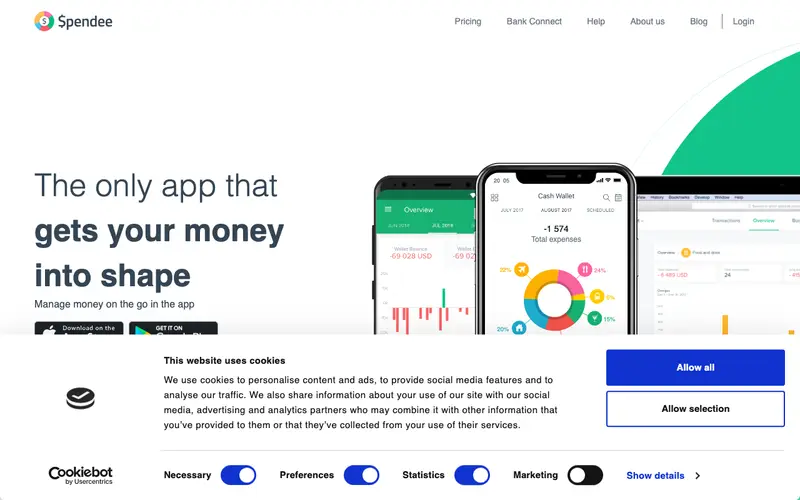
BudgetBakers Spendee is a visually appealing and intuitive personal finance application designed to help users track their income and expenses, categorize transactions, and gain insights into their spending habits. It simplifies the workflow of financial management by allowing users to connect bank accounts for automatic synchronization or manually add cash transactions. Spendee is primarily available as a mobile app for iOS and Android, with a web application for broader overview and management, supporting multiple currencies and wallets. Its most used feature is the beautiful infographic-style overview, which visually breaks down spending by category. All financial data can be securely synced from connected banks or manually entered and stored in the cloud.
Editorial check
How this page is checked
Source trail
spendee.com
External links are separated from Surfaced commentary.
Reader safety
Context before clicks
Product links and external services are not presented as guarantees.
Monetization
No affiliate flag
Ads and commerce links are kept distinct from editorial text.
Surfaced take
Why It’s Useful
Spendee eliminates the blind spots in personal spending, making it easy to see exactly where money is going and identify areas for savings. For the young professional wanting to save for a major purchase, it offers a clear visual breakdown of expenditures, helping them to quickly identify and cut unnecessary costs. For the digital nomad managing finances across different countries, its multi-currency support and ability to create separate wallets for different income streams are invaluable. The free version allows manual transaction entry and one wallet, providing a decent starting point, but the premium features like bank sync and unlimited wallets are behind a paywall. Compared to purely manual apps, Spendee offers a much more engaging visual interface, and compared to complex budgeting tools, it strikes a good balance between features and user-friendliness. The "Shared Wallets" feature is a power user favorite, allowing couples or roommates to collaboratively track shared expenses within the app. A non-technical person can download the app and start manually adding expenses in under 2 minutes, with bank linking taking slightly longer but still intuitive.







Enjoyed this? Get five picks like this every morning.
Free daily newsletter — zero spam, unsubscribe anytime.