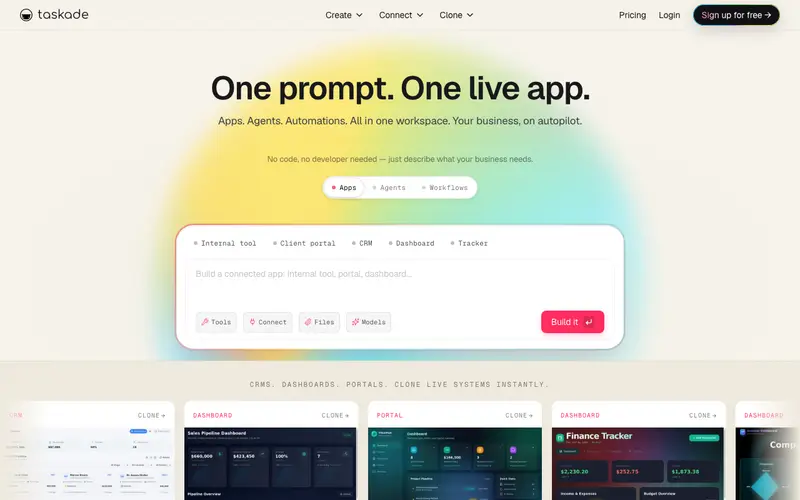
Taskade is an AI-powered productivity platform developed by Taskade, Inc. that unifies notes, tasks, outlines, mind maps, and chat into a single workspace, designed for collaborative team management and personal organization. It allows users to transform outlines into various visual formats, fostering dynamic brainstorming and project planning. The primary workflow involves creating a project, structuring ideas with an outline, then instantly converting that outline into a mind map, board, or action list, all while communicating with teammates in real-time. It is available across web, iOS, Android, Mac, Windows, and Linux, and as a browser extension. Its most used feature is the AI assistant, which can generate outlines, brainstorm ideas, or summarize content directly within any project. All data is stored securely in the cloud, providing instant synchronization across all devices and enabling real-time collaboration with shared workspaces and projects.
Editorial check
How this page is checked
Source trail
taskade.com
External links are separated from Surfaced commentary.
Reader safety
Context before clicks
Product links and external services are not presented as guarantees.
Monetization
No affiliate flag
Ads and commerce links are kept distinct from editorial text.
Surfaced take
Why It’s Useful
Taskade eliminates the need to jump between multiple apps for outlining, task management, and communication, consolidating everything into one intelligent platform. For the content creator, it offers a seamless way to brainstorm blog post ideas, outline content structure, and manage the writing and editing process, all within a unified view. For the startup founder, it provides a flexible environment to plan product roadmaps, assign tasks to team members, and track progress using various visual layouts. Taskade offers a generous free tier with unlimited projects and collaborators, making it genuinely useful for individuals and small teams, while paid plans add more storage and advanced AI features. Compared to traditional task managers, Taskade's flexibility to switch between outline, mind map, and board views, combined with its AI capabilities, offers a more dynamic brainstorming and planning experience. A power feature is the ability to instantly transform any outline into a mind map or Kanban board with a single click, catering to different thinking styles. A non-technical person can easily create an account and start outlining or using templates in under 5 minutes, finding the interface intuitive.
In everyday life
When you’d actually reach for this
You need to plan that family reunion potluck, figuring out who's bringing what. You're also trying to keep track of all those articles you saved for later and need to organize them. It's perfect for that weekly team meeting where you need to assign action items.





Enjoyed this? Get five picks like this every morning.
Free daily newsletter — zero spam, unsubscribe anytime.