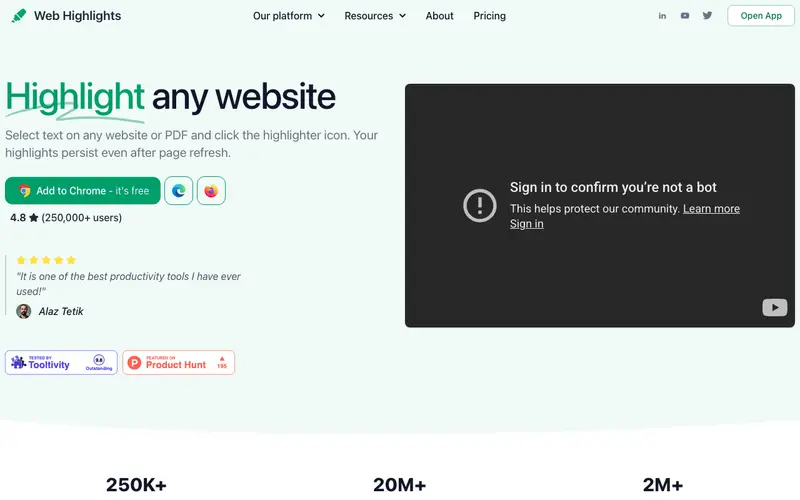
Web Highlights is a browser extension developed by Web Highlights, designed to help users highlight and organize text on any website, creating a personal library of key information. It allows you to select text directly on web pages, add notes to your highlights, and categorize them with tags for easy retrieval. The primary workflow involves browsing the web, highlighting important passages, and then reviewing and organizing these highlights in a centralized dashboard. It is available as an extension for Chrome, Edge, and Brave browsers. Its most used feature is the ability to quickly highlight text on any webpage and have it automatically saved with a link back to the source. Data is synced to the cloud, accessible through your account, providing a unified view of all your research.
Editorial check
How this page is checked
Source trail
web-highlights.com
External links are separated from Surfaced commentary.
Reader safety
Context before clicks
Product links and external services are not presented as guarantees.
Monetization
No affiliate flag
Ads and commerce links are kept distinct from editorial text.
Surfaced take
Why It’s Useful
Web Highlights eliminates the problem of losing track of important information found online, turning casual browsing into structured research. For the content creator, it's perfect for gathering quotes, statistics, and ideas from various sources for articles, scripts, or social media posts. For the student researching a thesis, it streamlines the process of extracting key arguments and data points from academic papers and online resources. The free tier is genuinely useful, offering unlimited highlights and notes, with basic organization features, which is sufficient for extensive personal research. Unlike simple browser bookmarking or even tools like Diigo, Web Highlights focuses purely on text extraction and annotation, making it less cluttered and more efficient for specific content capture. The ability to export highlights by tag or source, directly to Markdown or PDF, is a power feature that separates advanced users for integrating research into other tools. A non-technical person can install Web Highlights and start highlighting in under 1 minute, making it incredibly accessible.
In everyday life
When you’d actually reach for this
When researching a recipe for Sunday dinner, you can save key steps and ingredient lists without printing pages. Planning a group trip means easily capturing important details from multiple travel blogs in one place. You'll use it to save that article you bookmarked last week but haven't had time to finish reading.







Enjoyed this? Get five picks like this every morning.
Free daily newsletter — zero spam, unsubscribe anytime.