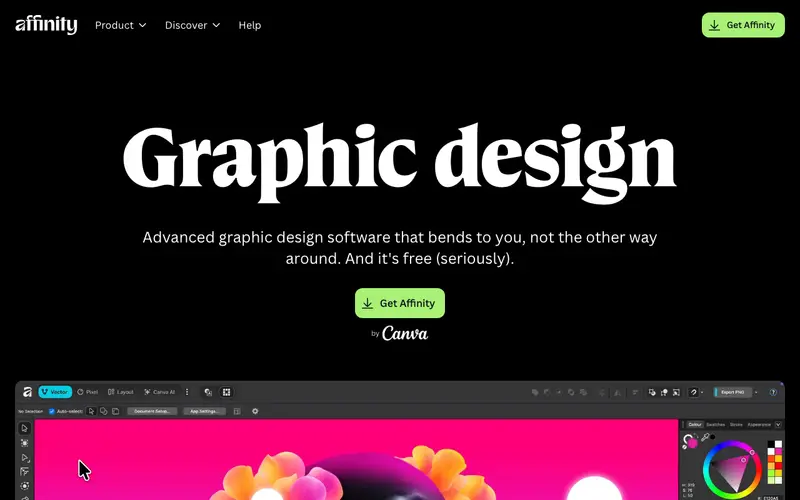
Affinity Designer, developed by Serif Europe, is a powerful vector graphics editor renowned for its speed, precision, and comprehensive feature set, positioning itself as a strong alternative to industry giants. Its core function is to create stunning vector illustrations, UI designs, concept art, and print projects with unparalleled fluidity. Designers primarily use it for logo creation, icon design, web graphics, and detailed technical illustrations, leveraging its dual persona for both vector and raster capabilities. It is available across Windows, macOS, and iPadOS, providing a consistent professional experience across different devices. Its most used feature is the seamless "Persona" switching, allowing users to move between vector (Designer Persona) and raster (Pixel Persona) workflows instantly within the same application. Affinity Designer operates primarily as a desktop application, saving files locally in its native `.afdesign` format, with robust import/export options for standard file types like SVG, AI, PSD, and PDF.
Editorial check
How this page is checked
Source trail
affinity.serif.com
External links are separated from Surfaced commentary.
Reader safety
Context before clicks
Product links and external services are not presented as guarantees.
Monetization
No affiliate flag
Ads and commerce links are kept distinct from editorial text.
Surfaced take
Why It’s Useful
Affinity Designer eliminates the need for expensive monthly subscriptions for professional design software, offering a one-time purchase model for a high-quality, feature-rich alternative. For the independent graphic designer building a brand identity for a startup, it provides all the necessary tools for creating intricate logos and marketing collateral without recurring costs. For the digital artist illustrating a children's book, its precise vector tools and smooth performance enable detailed artwork, while the pixel persona allows for texture and shading enhancements. Affinity Designer offers a free trial, but the full software requires a one-time purchase, which is genuinely useful as it provides lifetime access without further fees. Compared to Adobe Illustrator, Affinity Designer offers a more modern, performance-optimized interface and a significantly lower upfront cost, making it accessible to a wider range of creatives. A power feature is its "Vector Crop Tool" which non-destructively crops vector objects, a workflow improvement for advanced users. While powerful, a non-technical person with some design inclination can get started with basic shapes and text in under 15 minutes, though mastering it requires time.







Enjoyed this? Get five picks like this every morning.
Free daily newsletter — zero spam, unsubscribe anytime.