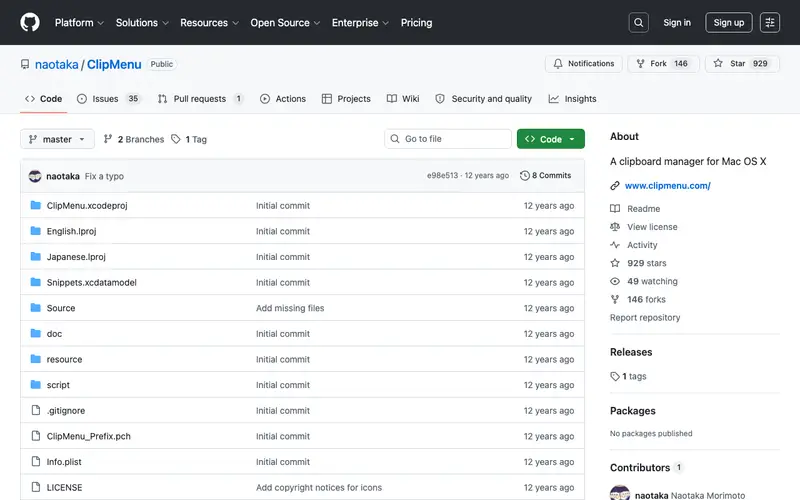
ClipMenu is a free and open-source clipboard history manager for macOS, developed by Naotaka Morimoto, designed to provide quick access to recently copied items. It silently runs in the background, recording every piece of text, image, or file you copy, making it available for reuse. The primary workflow involves copying content as usual, then accessing the ClipMenu icon in the menu bar or using a customizable hotkey to reveal a hierarchical menu of your clipboard history, from which you can select and paste. It is exclusively available for macOS. Its most used feature is its ability to store multiple types of content, including plain text, rich text, images, and file paths, organized into categories. ClipMenu stores all clipboard history locally on your machine and does not transmit any data externally.
Editorial check
How this page is checked
Source trail
github.com
External links are separated from Surfaced commentary.
Reader safety
Context before clicks
Product links and external services are not presented as guarantees.
Monetization
No affiliate flag
Ads and commerce links are kept distinct from editorial text.
Surfaced take
Why It’s Useful
ClipMenu eliminates the common frustration of overwriting a crucial piece of copied data, ensuring that valuable information is always retrievable. For the student writing a research paper, it allows them to copy multiple quotes, references, and facts from different sources and then paste them selectively into their document. For the customer support agent, it provides a quick way to store and recall frequently used responses, URLs, or troubleshooting steps without typing them out repeatedly. ClipMenu is entirely free and open-source, offering full functionality without any hidden costs or feature limitations, making it genuinely useful for anyone. While other macOS clipboard managers might offer more advanced features, ClipMenu wins on its lightweight footprint, simplicity, and zero-cost entry, making it an excellent choice for basic needs. A power feature is its "Snippets" functionality, which allows users to save permanent, frequently used text snippets for quick insertion. The learning curve is extremely low; it's intuitive to use right after installation, and a non-technical person can set it up and benefit from it in under 1 minute.
In everyday life
When you’d actually reach for this
You're updating your personal budget spreadsheet and need to paste that expense amount from your banking app. Later, you're sharing a collection of links with friends and want to quickly re-access several website addresses you copied earlier.







Enjoyed this? Get five picks like this every morning.
Free daily newsletter — zero spam, unsubscribe anytime.