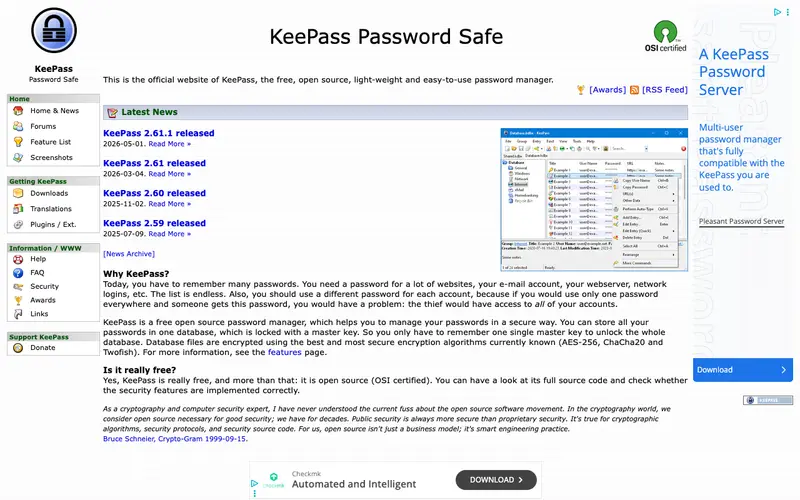
KeePass Password Safe, developed by Dominik Reichl, is a free, open-source password manager that helps you manage your passwords in a highly encrypted database. It securely stores all your login credentials, notes, and files in one master database file, protected by a single master password or key file. The primary workflow involves opening your local `.kdbx` database file, unlocking it, and then copying usernames or passwords to login forms. It works natively on Windows, with community ports and compatible apps available for macOS, Linux, Android, and iOS. Its most used feature is the robust auto-type function, which automatically fills in credentials into web forms and applications. All data is stored locally on your device in an encrypted file, offering complete control without relying on cloud servers.
Editorial check
How this page is checked
Source trail
keepass.info
External links are separated from Surfaced commentary.
Reader safety
Context before clicks
Product links and external services are not presented as guarantees.
Monetization
No affiliate flag
Ads and commerce links are kept distinct from editorial text.
Surfaced take
Why It’s Useful
KeePass eliminates the critical problem of password reuse and insecure credential storage, making your digital life significantly more secure. For the security-conscious professional, KeePass provides an uncompromised local solution for storing sensitive data, ensuring no third-party cloud is involved. For the budget-conscious student, it offers enterprise-grade security features entirely free, without any subscription fees or hidden costs. Its free tier is fully functional, offering all features without limitation, making it genuinely useful for everyone. Compared to cloud-based solutions like 1Password or LastPass, KeePass excels in offering absolute local control and open-source transparency, appealing to users who prioritize privacy above all else. A power feature is its extensive plugin architecture, allowing users to extend functionality with features like cloud sync, advanced entry management, and custom auto-type sequences. While initially daunting, a non-technical person can set up a basic database and add entries in under 10 minutes, though advanced features require more learning.
In everyday life
When you’d actually reach for this
You need to log into that streaming service you only use for one show, or remember the password for the online portal your landlord uses for rent payments. When you're sorting out shared expenses for a weekend getaway, you can quickly access the login for the group's booking site.







Enjoyed this? Get five picks like this every morning.
Free daily newsletter — zero spam, unsubscribe anytime.