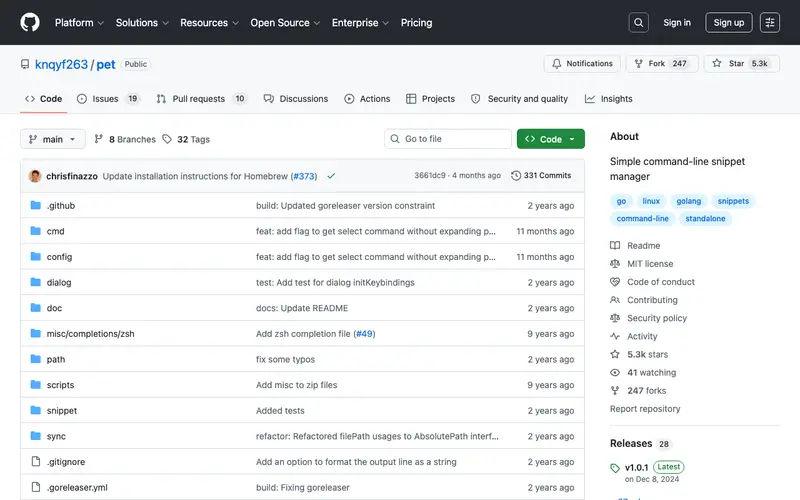
Pet is a simple command-line snippet manager, written in Go by Motohiro Takayama, designed for developers who prefer to manage their code snippets directly from the terminal. It allows users to store, list, search, and execute shell commands or code snippets with ease and speed. The primary workflow involves adding snippets with a descriptive command, tagging them, and then using a fuzzy search (fzf integration) to quickly retrieve and paste them into your shell. It works on Linux, macOS, and any system with a compatible shell and Go environment. Its most used feature is the `pet search` command combined with fzf, providing extremely fast and interactive snippet retrieval. Snippets are stored locally in a plain text file (YAML format by default), offering full control and easy backup.
Editorial check
How this page is checked
Source trail
github.com
External links are separated from Surfaced commentary.
Reader safety
Context before clicks
Product links and external services are not presented as guarantees.
Monetization
No affiliate flag
Ads and commerce links are kept distinct from editorial text.
Surfaced take
Why It’s Useful
Pet eliminates the need to remember complex commands or repeatedly type out lengthy code blocks, significantly boosting productivity for terminal-heavy workflows. For the DevOps engineer or system administrator, Pet is invaluable for storing frequently used shell commands, complex `awk` or `sed` scripts, and server configuration snippets, making their daily tasks much more efficient. For the developer working extensively in a terminal environment, it provides an instant way to store and retrieve specific build commands, Git operations, or testing scripts. Pet is completely free and open-source, offering its full functionality without any hidden costs. It stands out from GUI-based snippet managers by providing a lightning-fast, keyboard-driven interface that integrates seamlessly into existing terminal workflows. A power feature is its integration with `fzf`, allowing for an incredibly fast and intuitive fuzzy search experience to find snippets. A technical person familiar with the command line can install and add their first snippet in under 5 minutes; non-technical users might find the CLI aspect challenging.
In everyday life
When you’d actually reach for this
You're setting up a new project and need to run a common initialization script you've used before. Later, you're explaining a complex workflow to a junior developer and want to quickly share the exact commands you use. You also need to recall a specific Git command for a complex merge you handled last month.







Enjoyed this? Get five picks like this every morning.
Free daily newsletter — zero spam, unsubscribe anytime.