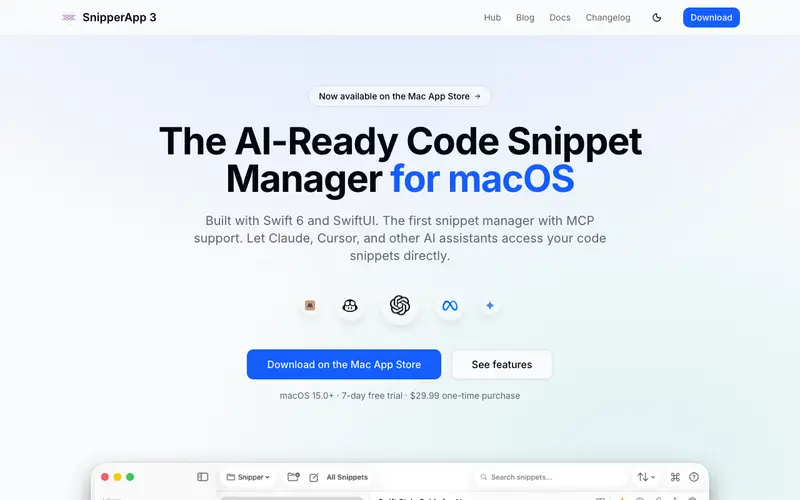
Snipper App, a native macOS application developed by independent creators, is a lightweight and elegant code snippet manager designed specifically for Mac users. It lives in the menubar, providing quick access to your organized collection of code, notes, and commands. Users can store snippets with syntax highlighting for various languages, add tags, and quickly search through their library. The application runs exclusively on macOS, offering a seamless native experience and integration with the operating system. Its most used feature is the ability to quickly paste a previously saved snippet into any application with a simple keyboard shortcut. Snipper App stores all user data locally on your Mac, ensuring privacy and offline access, with an option to sync via iCloud for multi-device consistency.
Editorial check
How this page is checked
Source trail
snipper.app
External links are separated from Surfaced commentary.
Reader safety
Context before clicks
Product links and external services are not presented as guarantees.
Monetization
No affiliate flag
Ads and commerce links are kept distinct from editorial text.
Surfaced take
Why It’s Useful
Snipper App solves the problem of repeatedly searching for or re-typing frequently used code blocks, commands, or boilerplate text on macOS. For the iOS developer, it's invaluable for instantly inserting common Swift patterns, Xcode shortcuts, or debugging commands without breaking their flow. For the macOS-focused DevOps engineer, Snipper App becomes a central hub for managing shell scripts, server configurations, and system commands, accessible right from the menubar. The app is a one-time paid purchase, offering a fully featured and genuinely useful experience without recurring subscriptions or feature limitations after purchase. It differentiates itself from cross-platform solutions like MassCode by offering a truly native, lightweight, and deeply integrated macOS experience, feeling like an extension of the OS itself. The "smart placeholders" power feature allows snippets to contain dynamic variables that are prompted upon insertion, making them highly reusable across different contexts. A non-technical person comfortable with macOS apps could easily set it up and start saving snippets in under 5 minutes.
In everyday life
When you’d actually reach for this
You're debugging a recurring issue and need to recall a specific command you used last month. Or perhaps you're onboarding a new team member and need to share a boilerplate code snippet you frequently use. You might also want to quickly save that interesting article you found online for later reference.







Enjoyed this? Get five picks like this every morning.
Free daily newsletter — zero spam, unsubscribe anytime.