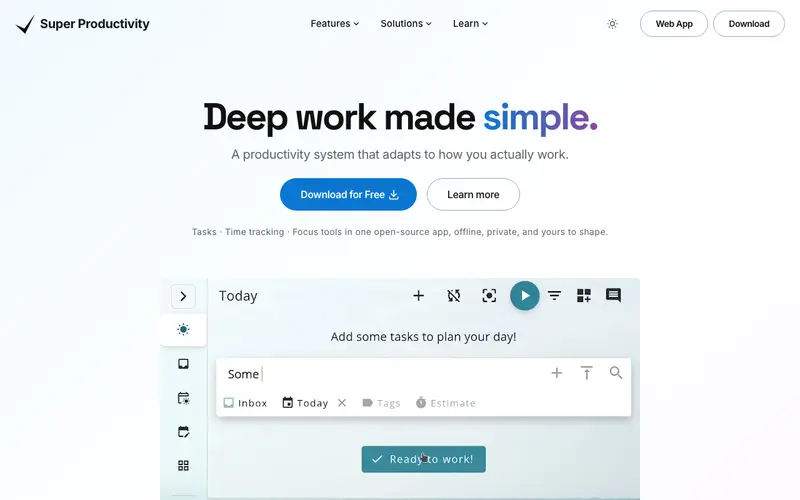
Super Productivity is a powerful, open-source task manager and Pomodoro timer created by Johannes Schickling, designed to boost personal productivity and reduce procrastination. It integrates a robust task list, a Pomodoro timer, time tracking, and even provides useful insights into how you spend your time. The application is available as a desktop app for Windows, macOS, and Linux, and also as a browser extension for Chrome and Firefox. Its most used feature is the comprehensive 'Today' view, combining current tasks with an active Pomodoro timer. Super Productivity stores all data locally by default, ensuring privacy, but also offers optional synchronization with cloud services like Google Drive, Dropbox, or WebDAV.
Editorial check
How this page is checked
Source trail
super-productivity.com
External links are separated from Surfaced commentary.
Reader safety
Context before clicks
Product links and external services are not presented as guarantees.
Monetization
No affiliate flag
Ads and commerce links are kept distinct from editorial text.
Surfaced take
Why It’s Useful
Super Productivity eliminates the need for multiple tools by combining task management, time tracking, and focus techniques into one cohesive, open-source application, reducing context switching. For the developer, it allows them to organize their coding tasks, track the time spent on each, and enforce Pomodoro sessions, all within a single interface. For the student managing multiple assignments, the app helps prioritize, track progress, and maintain focus blocks, improving overall academic efficiency. As an open-source tool, it is entirely free to use, offering genuinely useful and comprehensive features without any paywalls. Unlike simple Pomodoro timers, Super Productivity offers robust task management, detailed time tracking, and even integrates with Jira, GitHub, and GitLab for a complete workflow. A power feature is the 'Issue Tracking Integration,' which allows users to pull tasks directly from project management platforms into their daily plan. The setup is straightforward; a non-technical person can download, install, and start using its core features in under 10 minutes.
In everyday life
When you’d actually reach for this
You're staring at a mountain of unread articles and need to finally tackle them. When planning your personal budget for the month, you want to track exactly how long each task takes. You're preparing for a vacation and need to organize your outstanding work for seamless handover to a colleague.





Enjoyed this? Get five picks like this every morning.
Free daily newsletter — zero spam, unsubscribe anytime.