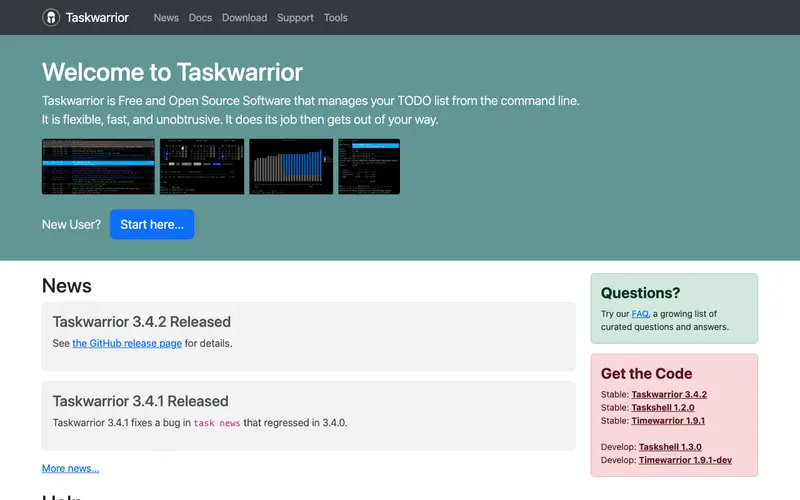
Taskwarrior is a free and open-source command-line task management utility, developed by a dedicated community as an open-source project. It allows users to add, modify, delete, and manage tasks directly from the terminal, supporting complex task attributes like projects, tags, due dates, and dependencies. This tool is primarily built for productivity enthusiasts, developers, and anyone who prefers a minimalist, keyboard-driven approach to organizing their to-do list and projects. It fits into a workflow whenever a user needs to quickly capture an idea, check their current tasks, or track progress on a project without switching context from their terminal. Taskwarrior runs natively on Linux, macOS, and Windows, offering integrations with various reporting tools, scripts, and even synchronization services.
Editorial check
How this page is checked
Source trail
taskwarrior.org
External links are separated from Surfaced commentary.
Reader safety
Context before clicks
Product links and external services are not presented as guarantees.
Monetization
No affiliate flag
Ads and commerce links are kept distinct from editorial text.
Surfaced take
Why It’s Useful
Unlike graphical task managers like Todoist or Microsoft To Do, Taskwarrior offers unparalleled speed and flexibility for users who spend most of their time in the terminal, eliminating mouse usage and context switching. For the developer deeply engrossed in coding, Taskwarrior allows them to add a new bug to fix or a feature to implement with a simple command, then return to their code without breaking flow. A project manager who lives in the terminal can use Taskwarrior to manage personal tasks, assign projects to tasks, and generate custom reports to see progress across different areas of responsibility. Taskwarrior is completely free and open-source, built and maintained by a community of users and developers. A powerful feature often undiscovered initially is its comprehensive reporting system, allowing users to generate highly customized views of their tasks based on filters, sorting, and even custom scripts. Its relative lack of mainstream popularity comes from its CLI-only nature, which can be daunting for users accustomed to graphical interfaces, despite its powerful features and extensibility. It has a vibrant community, extensive documentation, an active mailing list, and a steady stream of updates, along with a rich ecosystem of extensions and integrations.







Enjoyed this? Get five picks like this every morning.
Free daily newsletter — zero spam, unsubscribe anytime.