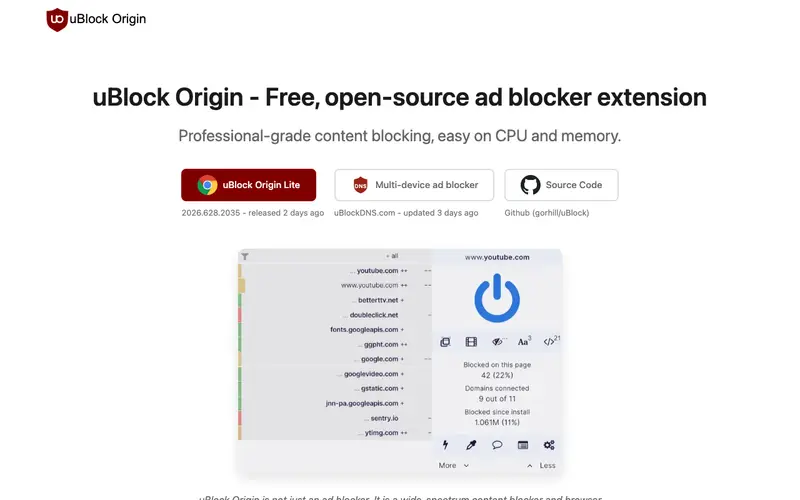
uBlock Origin, created by Raymond Hill, is a free, open-source, wide-spectrum content blocker that goes beyond traditional ad-blocking to filter out trackers, malware sites, and intrusive elements across the web. It operates efficiently by using minimal CPU and memory, ensuring a smooth browsing experience while enhancing privacy and security. The primary workflow involves installing the browser extension, which then automatically blocks unwanted content based on configurable filter lists, improving page load times and reducing digital distractions. It works as a browser extension for Chrome, Firefox, Edge, Opera, and Safari (via a third-party port). Its most used feature is its default blocking of ads and trackers, which significantly cleans up web pages and protects user privacy. As a local browser extension, it processes filtering rules on your device and does not send your browsing data to any external servers, ensuring your browsing habits remain private.
Editorial check
How this page is checked
Source trail
ublockorigin.com
External links are separated from Surfaced commentary.
Reader safety
Context before clicks
Product links and external services are not presented as guarantees.
Monetization
No affiliate flag
Ads and commerce links are kept distinct from editorial text.
Surfaced take
Why It’s Useful
uBlock Origin eliminates the pervasive problems of intrusive advertising, online tracking, and potential malware distribution through malicious ads, making web browsing faster, safer, and more private. For the researcher needing to focus on content without distractions, it provides an unparalleled ability to strip away visual clutter and ensure an uninterrupted reading experience. For the casual internet user concerned about their digital footprint, it acts as a robust shield, preventing thousands of data points from being collected by advertisers and data brokers daily. The tool is entirely free, open-source, and fully featured, making it genuinely useful without any upsells or limitations. Compared to other ad blockers like Adblock Plus, uBlock Origin is celebrated for its efficiency, lower resource consumption, and stronger focus on privacy and security beyond just ads. A power feature is its 'element picker' mode, allowing users to manually select and block any specific element on a webpage, offering granular control over their browsing experience. A non-technical person can install it in under 30 seconds, and it begins working immediately with optimal default settings.
In everyday life
When you’d actually reach for this
You're trying to research a new phone plan without being bombarded by ads or seeing your browsing history dictate every pop-up. You're looking at a travel blog for your upcoming group trip, and want to avoid intrusive banners that disrupt your planning. You're scrolling through news articles on your lunch break and just want to read the content.







Enjoyed this? Get five picks like this every morning.
Free daily newsletter — zero spam, unsubscribe anytime.