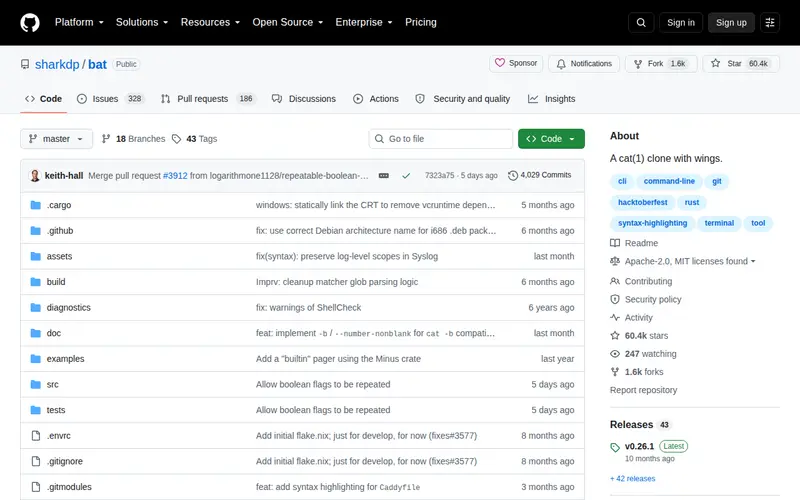
bat is an advanced command-line utility that enhances the functionality of the traditional 'cat' command. It offers a superior file viewing experience within the terminal by incorporating automatic syntax highlighting for a wide array of programming languages. Beyond basic content display, bat integrates seamlessly with Git, visually indicating lines that have been added, modified, or deleted directly within the file's output. This powerful combination of features, built with the performance and reliability of Rust, makes it an essential tool for anyone working with code or configuration files in a command-line environment.
Editorial check
How this page is checked
Source trail
github.com
External links are separated from Surfaced commentary.
Reader safety
Context before clicks
Product links and external services are not presented as guarantees.
Monetization
No affiliate flag
Ads and commerce links are kept distinct from editorial text.
Surfaced take
Why It’s Useful
The ability to quickly and clearly inspect file contents in the terminal is crucial for developers and system administrators. bat significantly streamlines this process. Its syntax highlighting transforms raw code or configuration into easily readable structures, enabling rapid comprehension of different language constructs and syntax. The integrated Git diff highlighting is particularly valuable for understanding code evolution; you can immediately see the impact of changes on specific lines, which is indispensable for code reviews, debugging, and tracking modifications. bat also proves effective for examining the output of other command-line tools. By providing a visually richer and more informative display than standard 'cat', bat enhances workflow efficiency, reduces cognitive load when parsing complex files, and ultimately saves time by allowing for quicker analysis directly within the terminal.
In everyday life
When you’d actually reach for this
You'll use bat to quickly read through a complex configuration file to find an error, or to inspect the output of a build script, seeing highlighted code and changes instantly.







Enjoyed this? Get five picks like this every morning.
Free daily newsletter — zero spam, unsubscribe anytime.