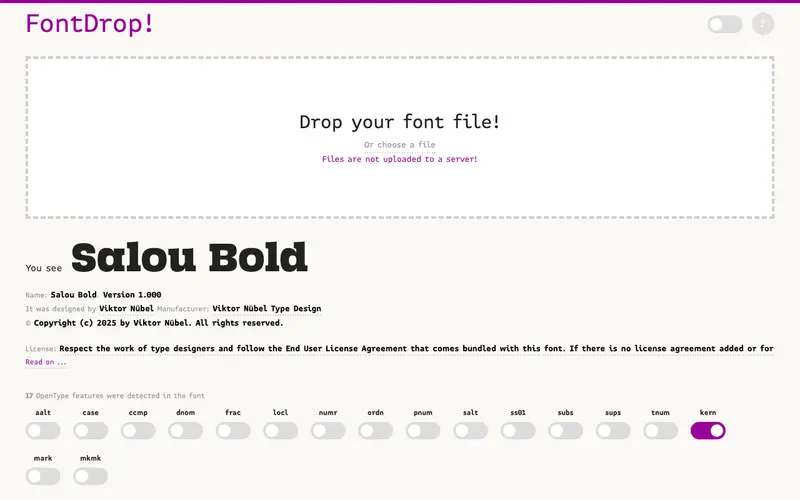
FontDrop! is a delightful and incredibly simple web tool that allows you to quickly preview any font you have installed on your system. You paste a snippet of text, choose a font from your local collection, and see it rendered immediately. It's built by a design enthusiast to streamline the often tedious process of font selection for designers, writers, or anyone who needs to visualize text in a specific typeface without opening a full design application.
Editorial check
How this page is checked
Source trail
fontdrop.info
External links are separated from Surfaced commentary.
Reader safety
Context before clicks
Product links and external services are not presented as guarantees.
Monetization
No affiliate flag
Ads and commerce links are kept distinct from editorial text.
Surfaced take
Why It’s Useful
In a world saturated with font management tools, FontDrop! stands out for its sheer speed and lack of bloat. Unlike complex design software or even some dedicated font managers, it focuses on one core task: showing you what your text looks like in your chosen font, instantly. This is invaluable for quick checks when writing an email, drafting a social media post, or even just exploring the typography available on your machine. Power users appreciate its minimalist interface and the ability to cycle through dozens of fonts rapidly to find the perfect match for their project, saving significant time and mental overhead compared to opening multiple documents or applications.
In everyday life
When you’d actually reach for this
You might use FontDrop! when planning your weekly budget and wanting to make a grocery list look more appealing. It's also handy when drafting an email to friends about an upcoming group trip and trying different fonts for the subject line. When handing off tasks before annual leave, you could use it to quickly preview the font for any important documents.







Enjoyed this? Get five picks like this every morning.
Free daily newsletter — zero spam, unsubscribe anytime.