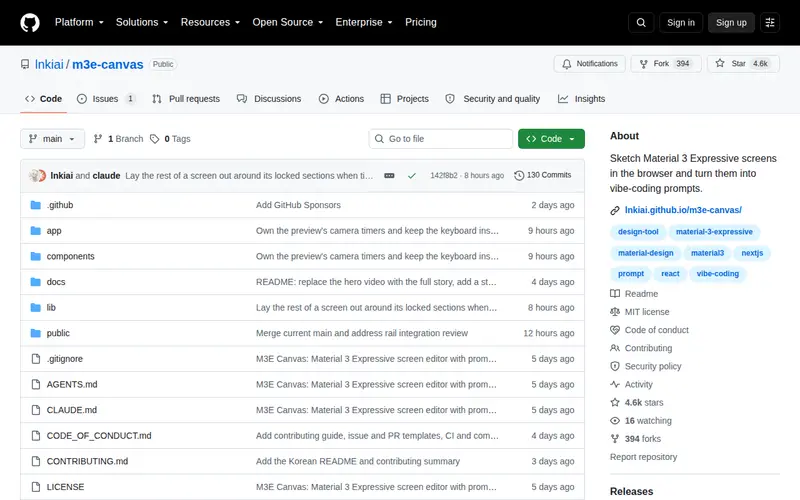
m3e-canvas is an innovative browser-based tool that allows designers and developers to quickly sketch and prototype Material Design 3 expressive screens. It translates visual concepts into actionable code prompts, streamlining the design-to-development handoff. This free, open-source tool is built with TypeScript and is particularly adept at generating design variations based on specific themes and user flows. Its core value lies in its ability to rapidly iterate on expressive design elements within the Material Design system.
Editorial check
How this page is checked
Source trail
github.com
External links are separated from Surfaced commentary.
Reader safety
Context before clicks
Product links and external services are not presented as guarantees.
Monetization
No affiliate flag
Ads and commerce links are kept distinct from editorial text.
Surfaced take
Why It’s Useful
For designers working with Google's Material Design, m3e-canvas offers a powerful way to experiment with expressive UIs without the overhead of complex design software for initial concepts. Developers benefit from the generated code prompts, which can significantly accelerate the implementation phase. The tool excels at translating abstract design ideas into concrete visual representations and actionable code snippets, reducing friction between design and engineering teams. Its GitHub repository boasts a strong star count, indicating community trust and active development. It's ideal for anyone involved in building Android or web applications that adhere to Material Design principles.
In everyday life
When you’d actually reach for this
When brainstorming new feature layouts for an app, you can quickly sketch different visual styles for buttons and cards. This helps you and your team align on a cohesive look and feel before committing to detailed design work, saving hours in later stages.







Enjoyed this? Get five picks like this every morning.
Free daily newsletter — zero spam, unsubscribe anytime.