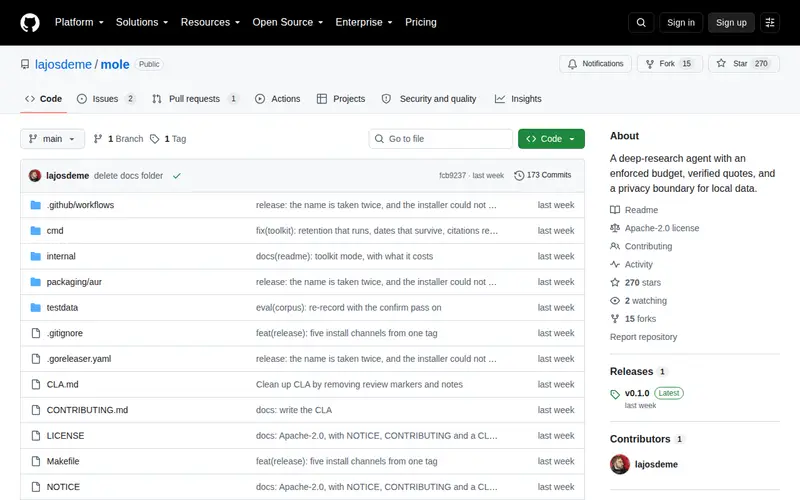
Mole is a sophisticated deep research agent engineered for seamless integration within your terminal. It empowers users to conduct in-depth queries and retrieve essential information directly from their command-line interface, functioning as a dedicated research assistant without disrupting their current workflow. This tool is specifically crafted for developers and advanced users who require rapid access to contextual information, precise definitions, or practical code examples, all while maintaining their focus on the task at hand.
Editorial check
How this page is checked
Source trail
github.com
External links are separated from Surfaced commentary.
Reader safety
Context before clicks
Product links and external services are not presented as guarantees.
Monetization
No affiliate flag
Ads and commerce links are kept distinct from editorial text.
Surfaced take
Why It’s Useful
Mole significantly enhances terminal-centric workflows by effectively bridging the divide between command-line efficiency and the constant need for external information. Rather than resorting to browser-based searches for quick lookups, Mole embeds information retrieval directly into your established command-line environment. This strategic integration drastically reduces context switching, a known impediment to developer productivity. The agent's capacity to deliver succinct answers and pertinent links straight to the terminal makes it an exceptionally valuable asset for debugging, learning new commands, or deciphering unfamiliar code snippets. Mole is an indispensable tool for individuals who spend a substantial amount of time in the shell and prioritize maintaining uninterrupted concentration.
In everyday life
When you’d actually reach for this
While debugging a complex script, you encounter an unfamiliar error message. Instead of opening a new tab, you type `mole 'error message explanation'` to get a quick answer and relevant code snippet right in your terminal, allowing you to fix the issue faster.







Enjoyed this? Get five picks like this every morning.
Free daily newsletter — zero spam, unsubscribe anytime.