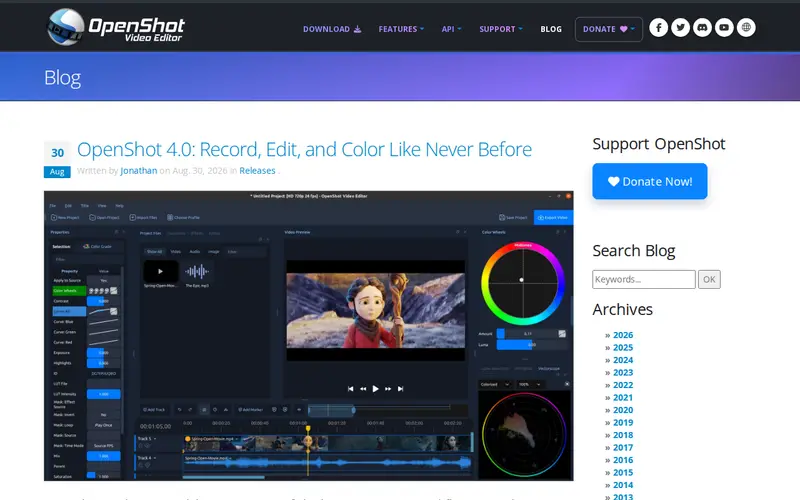
OpenShot 4.0 is a significant update to the popular open-source video editing software. This version introduces advanced features for recording screen content, professional-grade editing tools, and robust color correction capabilities. Designed for ease of use while offering deep functionality, OpenShot empowers creators to produce polished videos without the steep learning curve or cost associated with proprietary software. It's ideal for hobbyists, educators, and small businesses looking to create tutorials, promotional content, or personal projects.
Editorial check
How this page is checked
Source trail
openshot.org
External links are separated from Surfaced commentary.
Reader safety
Context before clicks
Product links and external services are not presented as guarantees.
Monetization
No affiliate flag
Ads and commerce links are kept distinct from editorial text.
Surfaced take
Why It’s Useful
Unlike many mainstream video editors that can be overwhelming or expensive, OpenShot 4.0 strikes a balance between accessibility and power. The addition of built-in recording functionality eliminates the need for separate screen capture software, streamlining the workflow. Its intuitive interface, combined with sophisticated color grading tools and a wide array of effects and transitions, makes it a surprisingly capable editor for its open-source nature. Users who have found other editors too complex or too basic will appreciate OpenShot's user-friendly approach to advanced video manipulation.
In everyday life
When you’d actually reach for this
You're creating a quick tutorial for a new hobby. You'd use OpenShot to record your screen, edit out mistakes, add text overlays for key steps, and then apply color correction to make your footage look bright and engaging before sharing it online.







Enjoyed this? Get five picks like this every morning.
Free daily newsletter — zero spam, unsubscribe anytime.