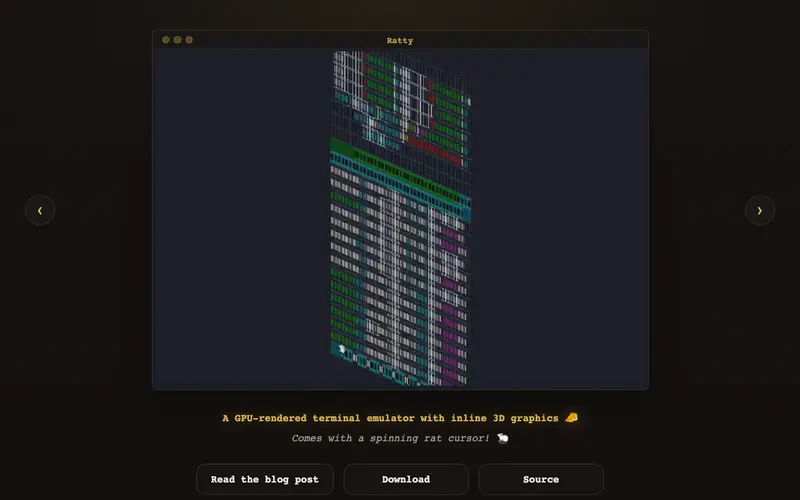
Ratty is a cutting-edge terminal emulator that breaks the traditional 2D barrier by supporting inline 3D graphics. It allows applications running within the terminal to render three-dimensional models and scenes directly alongside text. This innovation opens up new possibilities for data visualization, interactive gaming, and complex UI development within the command-line interface. Developers can use Ratty to create immersive terminal experiences that were previously impossible, bridging the gap between console applications and modern graphical interfaces. For example, a user could visualize a 3D terrain model generated by a geospatial tool without leaving their terminal session.
Editorial check
How this page is checked
Source trail
ratty-term.org
External links are separated from Surfaced commentary.
Reader safety
Context before clicks
Product links and external services are not presented as guarantees.
Monetization
No affiliate flag
Ads and commerce links are kept distinct from editorial text.
Surfaced take
Why It’s Useful
Ratty stands out by fundamentally reimagining the terminal. Unlike conventional emulators that are limited to text and basic graphics, Ratty integrates true 3D rendering capabilities. This makes it incredibly powerful for scientific visualization, game development testing, or any application where spatial data needs to be presented interactively and efficiently within a command-line environment. It's a hidden gem for developers and enthusiasts who crave richer, more dynamic terminal experiences. The ability to render complex scenes inline means less context switching and a more cohesive workflow for tasks involving 3D data. Anyone who has ever wished their terminal could do more than just display text will find Ratty exceptionally useful.
In everyday life
When you’d actually reach for this
You might use Ratty to preview a 3D architectural model before committing to a client presentation, or to visualize your company's quarterly sales figures as an interactive 3D graph during a team meeting. It's also useful for debugging a complex 3D game's performance directly in the console.







Enjoyed this? Get five picks like this every morning.
Free daily newsletter — zero spam, unsubscribe anytime.