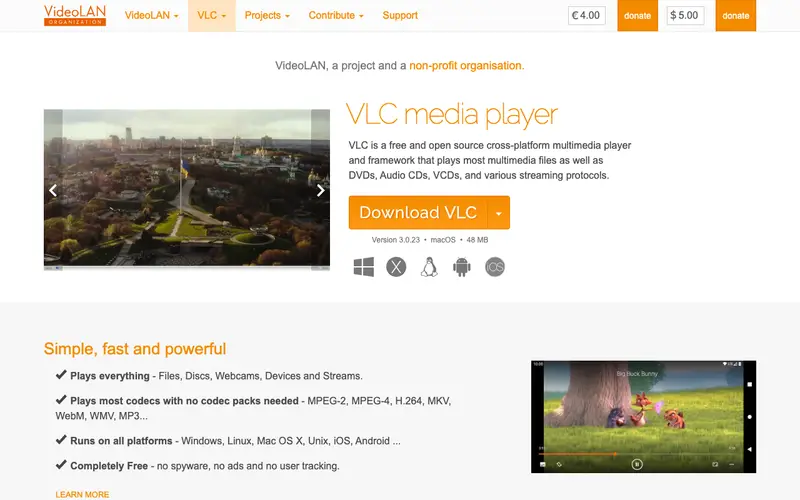
VLC Media Player is a free and open-source, cross-platform multimedia player that plays most multimedia files as well as DVDs, Audio CDs, VCDs, and various streaming protocols. Its primary advantage is its remarkable codec support, meaning it can play virtually any audio or video file format without requiring additional downloads or plugins. VLC is available for Windows, macOS, Linux, Android, and iOS, making it a universal solution for media playback across devices. It's completely free to use with no ads or user tracking.
Editorial check
How this page is checked
Source trail
videolan.org
External links are separated from Surfaced commentary.
Reader safety
Context before clicks
Product links and external services are not presented as guarantees.
Monetization
No affiliate flag
Ads and commerce links are kept distinct from editorial text.
Surfaced take
Why It’s Useful
In a world saturated with countless media file formats, VLC Media Player stands out as the ultimate 'it just works' solution. Its unparalleled ability to play almost any audio or video file out-of-the-box eliminates the frustration of encountering incompatible formats. This means you can stop searching for specific codecs or converters and simply enjoy your content. For anyone who downloads videos, streams from various sources, or works with diverse media types, VLC is an essential tool that saves time and hassle. Its cross-platform availability ensures a consistent experience whether you're on your desktop, laptop, or mobile device. As a free, ad-free, and privacy-respecting application, it's a no-brainer for anyone who consumes digital media.
In everyday life
When you’d actually reach for this
You're on a Sunday budget and want to rewatch that old concert DVD. When planning a group trip, you need to quickly play a video someone sent to confirm a detail. Before annual leave, you hand off a presentation file knowing your colleague can play it.





Enjoyed this? Get five picks like this every morning.
Free daily newsletter — zero spam, unsubscribe anytime.