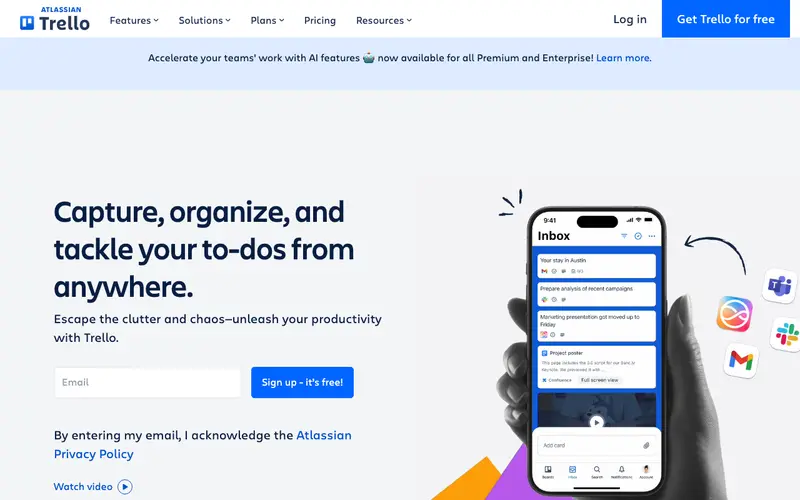
Trello is a visual collaboration tool that uses a board, list, and card system to help individuals and teams organize projects and tasks. Users can create boards for different projects, set up lists to represent stages of a workflow (e.g., To Do, Doing, Done), and create cards for individual tasks. These cards can hold details like descriptions, checklists, due dates, attachments, and comments. Trello offers a generous free tier, making it accessible for personal use and small teams, with paid plans for advanced features and larger organizations. It's particularly effective for managing workflows that benefit from a clear, visual representation.
Editorial check
How this page is checked
Source trail
trello.com
External links are separated from Surfaced commentary.
Reader safety
Context before clicks
Product links and external services are not presented as guarantees.
Monetization
No affiliate flag
Ads and commerce links are kept distinct from editorial text.
Surfaced take
Why It’s Useful
Trello's intuitive visual interface makes project management incredibly accessible and engaging. Its drag-and-drop functionality allows for effortless task management and workflow adjustments, making it easy to see at a glance where every project stands. This visual clarity is a significant advantage for teams trying to coordinate efforts and for individuals looking to keep track of personal goals. Integrations with numerous other popular productivity tools, like Google Drive, Slack, and Calendar, further streamline workflows. Trello is exceptionally useful for anyone who benefits from seeing their tasks laid out clearly, from managing a complex event, to tracking a content calendar, or simply organizing household chores. It transforms daunting projects into manageable steps.
In everyday life
When you’d actually reach for this
You might use Trello to track progress on your personal finance goals or plan a complex group vacation. It's also helpful for managing tasks for a hobby project or remembering articles you want to read later.






Enjoyed this? Get five picks like this every morning.
Free daily newsletter — zero spam, unsubscribe anytime.